
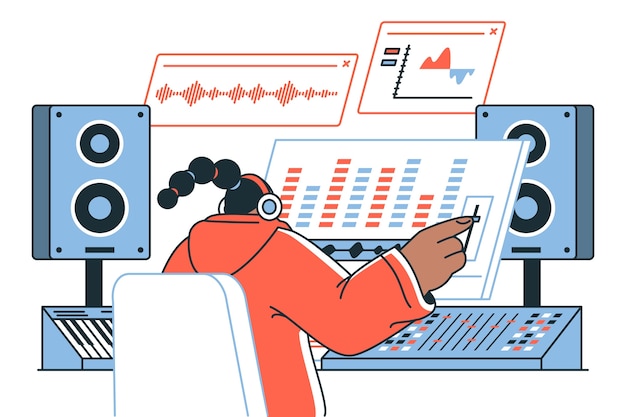
Diving into the world of audio editing can be both exciting and a bit overwhelming, especially for beginners. Understanding the basic functions in audio editors is essential for anyone looking to create professional-sounding projects, whether for a podcast, music, or video content. This beginner’s guide will simplify audio editing basics, focusing on fundamental functions like cutting, trimming, pasting, and applying fades. You’ll also learn about the sound editing tools that can elevate your work. By mastering these core techniques, you’ll lay a strong foundation for effective sound editing, allowing your creative ideas to truly shine in your audio projects.
Overview of Basic Functions in Audio Editors
Basic functions in audio editors are foundational tools that every beginner should master to enhance their audio projects effectively.
Key functions include:
Cutting: This allows users to remove unwanted sections of audio quickly. By cutting, you can keep only the most essential parts, refining your content.
Trimming: Similar to cutting, trimming focuses on the edges of an audio clip. This function helps eliminate silence or irrelevant sounds at the beginning or end of a track.
Pasting: After cutting or copying audio segments, pasting enables you to place these segments into new locations, allowing for the construction of a cohesive final product.
Applying Fades: Fades are critical for creating smooth transitions between audio clips. Fading in can soften the beginning of a clip, while fading out can ensure a natural end, preventing abrupt stops.
Using Effects Plugins: Effects such as reverb, EQ, and compression can significantly enhance audio quality. Applying these effects allows users to creatively shape their sound, adding depth and character.
Understanding these basic functions not only helps in navigating audio editing software but also sets the groundwork for more advanced techniques later on. Mastering these tools is essential for anyone engaging in audio editing, whether for podcasts, music production, or video soundtracks.
As you delve deeper into audio editing, you’ll find that these basic functions are integral to elevating your audio quality and ensuring a polished, professional sound across your projects.
Essential Tools and Features of Audio Editing Software
Audio editing software is equipped with a variety of tools and features that streamline the editing process and enhance audio quality. Understanding these elements is essential for any beginner.
Key tools include:
Multitrack Editing: This allows users to work with several audio tracks simultaneously, enabling complex layers of sound. It’s crucial for tasks like mixing music, creating podcasts, and more.
Waveform Visualization: This visual representation of audio tracks helps identify peaks, troughs, and areas that need edits. It is vital for precise editing tasks like trimming and cutting.
Audio Track Management: Users can organize their audio tracks effortlessly, making it simpler to navigate and edit individual components of a project.
Another important feature is audio effects. Common effects include reverb, delay, and equalization. These effects can greatly enhance the final product, adding depth or unique characteristics necessary for artistic expression.
Audio file formats play a significant role in this process. Understanding the nuances of different formats is essential:
WAV: This format is uncompressed and maintains high quality but results in larger file sizes. It is ideal for professional recordings.
MP3: A compressed format that reduces file size, making it perfect for streaming and casual listening, though it can sacrifice some audio quality.
AIF: Similar to WAV, this format is often used in Apple products and supports high-quality audio.
Knowing how to navigate these tools and the functionality of various audio file formats enables more effective and creative audio editing.
Understanding these essential tools will greatly enhance your ability to produce polished and engaging audio content.
Fundamental Audio Editing Techniques
Fundamental techniques in audio editing are foundational skills that significantly enhance the quality of audio productions. Mastering these techniques is crucial for achieving a polished and professional sound. Here are three essential techniques:
Trimming Audio Clips
Trimming involves cutting out unwanted sections of an audio clip. This is particularly useful for eliminating pauses, mistakes, or any distractions in a recording.
By selecting the specific portion you want to keep and removing the excess, you create a smoother listening experience.
When trimming clips, try playing the audio looped after your edits to ensure the transitions feel natural and maintain the intended flow.
Fading In and Out Techniques
Fading in and out are techniques used to gradually increase or decrease the volume of an audio clip. Fading in can help introduce new sounds smoothly, preventing jarring starts, while fading out allows audio to conclude gently.
These techniques create a more musical feel, enhancing transitions between different segments or layers in your track.
To ensure effectiveness, adjust fade durations based on the length of the audio clips — shorter clips require quicker fades, whereas longer sections benefit from gradual changes.
Volume Adjustment
Volume adjustment involves modifying the loudness of different audio clips to ensure consistency throughout a track.
Balancing levels among various elements prevents one sound from overpowering another and maintains overall clarity.
When adjusting volume, utilize meter displays within your audio editing software to monitor levels, allowing you to maintain an optimal range.
Aim for consistency across tracks, ensuring that your audience enjoys an even listening experience without sudden shifts in loudness.
Incorporating these fundamental techniques not only improves the audio quality but also enhances listener engagement, making it essential for anyone involved in audio production.
Applying Effects in Audio Editing
Applying effects in audio editing can transform a simple recording into a captivating audio experience.
Several types of effects are commonly used, including:
Reverb: Adds depth and space, making recordings sound more natural.
Equalization (EQ): Adjusts frequency levels, enhancing clarity and removing unwanted resonances.
Compression: Controls dynamic range, ensuring quieter sounds are audible while loud peaks are moderated.
Understanding how to utilize an audio effects library is essential for creative manipulation. Most audio editing software comes equipped with a range of effects. Users can often modify settings, tailoring the effects to fit the specific nuances of their audio.
Another exciting technique is effects chaining, which allows multiple effects to be applied sequentially. For instance, combining reverb and EQ can enrich vocal recordings, creating a fuller sound before adding compression to control dynamics.
Experimenting with various combinations can lead to unique results, ultimately enhancing the overall audio quality.
Effectively applying these tools not only enhances a project but also broadens creative possibilities, allowing for artistic expression in audio production.
Advanced Techniques for Enhancing Audio
Advanced audio editing techniques significantly refine sound quality and elevate projects from basic to a professional level.
Multitrack editing stands out as one of the most powerful tools available, allowing producers to layer multiple audio tracks simultaneously. This technique facilitates complex productions by enabling the incorporation of various sound elements, be it vocals, instruments, or effects. Organizing clips efficiently within the editing software enhances workflow and creativity, paving the way for rich, dynamic mixes that captivate listeners.
Noise reduction methods are also essential for producing high-quality audio. Employing techniques such as spectral editing and noise gates can clean up recordings by removing background hiss, hum, or other unwanted sounds without sacrificing the integrity of the original audio. Familiarity with dedicated noise reduction plugins can enhance your editing arsenal, helping eliminate distractions that could detract from the listener’s experience.
Mastering audio projects is the ultimate step in the editing process that ensures your final output is polished and ready for distribution. This requires not only a keen ear for subtle nuances in sound but also a solid understanding of dynamics, frequency balance, and final loudness levels. Applying compression, limiting, and equalization during mastering significantly improves the overall coherence and loudness of tracks, making them sound consistent across various playback systems.
Proficiency in these advanced techniques provides a foundation for producing high-quality audio.
Practicing these methods in your editing sessions will undoubtedly lead to more refined results, allowing your creativity to shine through in your final projects. Knowing how to effectively implement these techniques will elevate your audioscapes and help you achieve the polished outcomes that professionals strive for.
Exporting and Finalizing Audio Projects
Exporting audio files is a critical step in the audio editing process, allowing you to save and distribute your work effectively. Choosing the right file format is essential to ensure compatibility across devices and platforms. Popular formats include WAV for high quality and MP3 for compact size. Generally, WAV files retain higher fidelity, while MP3 files offer portability, making them ideal for sharing online.
Setting proper export quality is just as crucial. Most audio editing software provides options to adjust sample rates and bit depths. For instance, exporting at a 44.1 kHz sample rate and 16-bit depth is standard for CD quality. If your project requires higher fidelity, such as for professional streaming or production, consider using higher sample rates and bit depths, like 48 kHz and 24-bit.
In addition to exporting files, it’s vital to implement robust backup strategies to prevent data loss. Regularly saving your project files in multiple locations—like external drives or cloud storage—protects your work against unforeseen circumstances. Establish a routine that includes creating backups after significant edits to ensure you don’t lose progress.
Here are some best practices for exporting and finalizing your audio projects:
Choose the appropriate file format and quality settings based on the intended use of your audio files.
Regularly back up your audio project files to multiple locations.
Review and test exported files to ensure sound quality meets standards before distribution.
Following these practices not only secures your audio projects but also guarantees that your final output meets the required quality standards, ready for sharing and distribution.
In conclusion, mastering the basic functions in audio editors is essential for anyone embarking on the journey of audio production. By understanding tools such as cutting, trimming, and applying effects, users can navigate the editing software with greater confidence and creativity.
These fundamental skills not only enhance the quality of audio projects but also pave the way for more advanced techniques, including multitrack editing and audio repair. Additionally, knowing how to save and export audio projects appropriately ensures that your work is preserved and delivered in the best possible format.
Ultimately, whether you are a novice or looking to refine your skills, grasping the basic functions in audio editors will empower you to create engaging, high-quality audio productions that resonate with audiences.
FAQ
Q: What is audio editing?
A: Audio editing involves altering recorded sound to improve quality, remove unwanted noise, or adjust length and pitch for a polished final product.
Q: What are the different types of audio editing?
A: Key types include cutting (removing unwanted sections), fading (smoothing volume changes), and mixing (combining multiple audio files into one track).
Q: How does audio editing work?
A: Audio editing typically uses software to manipulate audio clips on a timeline, allowing users to apply effects, trim sections, and refine sound quality.
Q: What are the benefits of using audio editing software?
A: Audio editing software enhances sound quality, removes background noise, and allows for content repurposing, making projects more engaging for listeners.
Q: What basic functions should beginners know in audio editing?
A: Beginners should focus on cutting, trimming, fading, and leveling audio volume to create a cohesive and polished sound.
Q: How can I remove unwanted noise from an audio recording?
A: Utilize noise reduction tools in editing software to identify and eliminate background sounds, enhancing the clarity of your recording.
Q: How can I adjust the volume of an audio recording?
A: Volume levels can be adjusted through your audio editing software’s mixer or gain settings, ensuring consistent sound throughout your project.
Q: Why is waveform visualization important in audio editing?
A: Waveform visualization allows users to see audio levels, enabling precise edits, such as trimming sections and identifying areas needing enhancement.
Q: What is multitrack editing?
A: Multitrack editing enables simultaneous work on multiple audio tracks, facilitating the layering of sounds and creating richer mixes.
Q: How can applying creative audio effects enhance my project?
A: Effects like reverb and compression can add depth and polish, but should be used judiciously to maintain audio integrity.
Q: What are the best practices for saving and exporting audio projects?
A: Regularly save projects in default formats to prevent data loss, and export in formats like WAV or MP3 to optimize for different platforms.





