
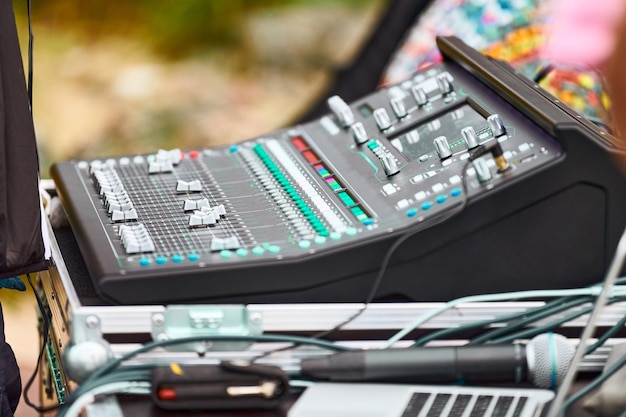
Mixing is where the magic happens in music production, transforming raw sounds into a polished masterpiece. With the right mixing tools at your fingertips, you can elevate your tracks from ordinary to extraordinary. A well-chosen combination of audio mixing software, high-quality equipment, and innovative plugins can dramatically enhance sound quality and optimize your workflow. In this guide, we’ll explore the essential mixing tools every music producer should consider, helping you make informed choices that align with your creative vision and technical needs. Dive in to discover the tools that can take your mixes to the next level!
Essential Mixing Tools Overview
Mixing tools play a pivotal role in achieving high-quality sound and professional results in music production.
A fundamental component of mixing is the digital audio workstation (DAW), which serves as the central hub for audio manipulation.
Within these DAWs, various tools are essential, including:
Equalizers (EQ): Vital for balancing frequencies, EQs allow producers to cut or boost specific ranges, ensuring clarity and definition in mixes.
Compressors: These tools manage dynamic range, preventing distortion in louder sounds while making softer sounds more audible, contributing to a balanced mix.
Reverb and Delay: These effects add depth and space to tracks, simulating different environments and enhancing the overall sound.
Saturation Plugins: Used to impart warmth and character, saturation can add richness and complexity to audio tracks.
Metering Tools: Essential for visualizing audio levels, these tools help ensure that mixes are balanced and avoid clipping.
On the hardware side, several key components have a significant impact on the mixing process:
Audio Interfaces: Crucial for sound quality, they facilitate the connection between digital tools and analog signals.
Studio Monitors: Effective monitors provide accurate sound reproduction, allowing for precise mixing decisions.
Quality Headphones: These are important for detailed listening, enabling producers to catch nuances in their tracks.
Investing in the right mixing tools not only enhances creativity but also improves efficiency in the music production process. Exploring both software and hardware can significantly optimize sound quality.
Recommended Audio Mixing Software
Digital Audio Workstations (DAWs) are vital for effective mixing, combining powerful audio processing tools in an intuitive interface. Here are notable options to consider:
Ableton Live
Features: A flexible DAW known for its session view, allowing for improvisation and non-linear composition.
Pros: Excellent for live performances, many built-in instruments and effects, and strong MIDI capabilities.
Cons: Can be overwhelming for beginners due to its vast array of features.FL Studio
Features: A pattern-based DAW with an easy-to-use interface and a wealth of included plugins.
Pros: Great for electronic music production, extensive plugin library, and strong automation features.
Cons: Some users find the interface less intuitive when working on complex projects.Logic Pro
Features: An all-in-one solution for Mac users, offering a comprehensive suite of plugins and loops.
Pros: High-quality built-in sounds, excellent MIDI manipulation, and affordability compared to purchasing plugins individually.
Cons: Mac-only availability can limit accessibility for non-Mac users.Pro Tools
Features: Industry-standard software used in professional studios, focused on audio recording and editing.
Pros: Exceptional audio editing capabilities, powerful production tools, and compatibility with many plugins.
Cons: Higher cost and complexity may be a barrier for beginners.Cubase
Features: A versatile DAW suitable for music composition, recording, and mixing.
Pros: Strong MIDI editing features, excellent audio quantizing, and extensive libraries of sounds and loops.
Cons: Higher learning curve, especially for those new to music production.
Each DAW serves different needs and workflows, making it important to experiment with a few to see which aligns with your creative process. Consider the types of projects you’ll tackle, your mixing style, and your budget when making your choice.
Equipment Worth Using for Mixing Music
Essential hardware plays a crucial role in achieving a polished sound during the mixing process.
Studio Monitors
Studio monitors are vital for accurate sound reproduction, enabling sound engineers and producers to perceive audio details effectively. Look for monitors that offer a flat frequency response and a frequency range of at least 40 Hz to 20 kHz. This range provides a balanced sound without coloring the audio, facilitating better mixing decisions. Popular models often noted for their quality include those with 6-8 inch woofers, which offer sufficient low-end response while still maintaining clarity in higher frequencies.
Headphones
High-quality headphones are equally important as they allow for detailed listening, particularly in environments where studio monitors are impractical. Closed-back headphones are especially useful for preventing sound leakage, making them ideal for critical listening and mixing tasks. Aim for models that ensure a frequency response of 20 Hz to 20 kHz, which is standard for capturing all elements of the mix. Look for options praised for comfort and durability since long mixing sessions can be tiring.
Audio Interfaces
An audio interface serves as the bridge between your computer and your audio equipment. It converts analog signals into digital for your DAW and vice versa, affecting sound quality and playback capabilities. A good audio interface should have low latency and a dynamic range over 100 dB for optimal performance, ensuring clear sound with minimal distortion. Units with multiple inputs and outputs are also beneficial for more extensive setups, allowing greater flexibility during mixing.
Here’s a quick overview of the effectiveness of these essential tools:
| Equipment | Key Functions | Considerations |
|---|---|---|
| Studio Monitors | Accurate sound reproduction | Flat frequency response, woofer size |
| Headphones | Detailed listening, noise isolation | Closed-back design, comfort |
| Audio Interfaces | Analog to digital conversion | Low latency, dynamic range |
Each of these tools plays a pivotal role in creating a high-quality mixing environment, allowing producers to craft clear, professional-level audio. Investing in the right studio monitors, headphones, and audio interfaces will significantly enhance your mixing capabilities and ensure your sound translates well across various listening environments.
Key Mixing Plugins and Effects
Mixing plugins play a vital role in achieving a polished sound. Here’s a rundown of some essential categories and popular examples.
Equalizers are indispensable tools for balancing frequencies in a mix. They allow you to boost or cut specific frequency ranges, enhancing clarity. Parametric EQs offer precise control, enabling you to target specific issues and fine-tune your sound.
Compressors are essential for managing dynamic range. They help to maintain balance by controlling the volume of louder sounds and ensuring softer sounds are heard. Understanding the threshold and ratio settings is crucial for effective compression.
Reverb plugins add depth and space to your mixes, mimicking the characteristics of different acoustic environments. With various types available, you can choose to simulate anything from small rooms to vast concert halls, enhancing the overall atmosphere of your tracks.
Here’s a quick list of notable plugins in each category:
Equalizers
- FabFilter Pro-Q
- Waves Q10
- iZotope Ozone EQ
Compressors
- Universal Audio 1176 Classic
- Waves SSL G-Master
- FabFilter Pro-C2
Reverb Plugins
- Valhalla Room
- Lexicon PCM Native
- Waves H-Reverb
Utilizing a combination of these plugins allows for versatile sound shaping. Many Digital Audio Workstations (DAWs) come with built-in options, but exploring third-party plugins can further expand your mixing capabilities, ultimately enhancing creativity in sound production.
Best Practices and Techniques in Mixing
Understanding effective mixing techniques can significantly elevate the quality of your mix while also avoiding common pitfalls.
One essential practice is gain staging. This process involves managing the levels of your audio signals to prevent distortion and ensure clarity in your mix. Keeping levels consistent helps maintain dynamics and prevents clipping, making your final output cleaner and more professional.
Utilizing reference tracks is another powerful technique. By comparing your mix to professionally produced tracks within the same genre, you can identify areas needing improvement in terms of balance, EQ, and overall sound quality. This practice helps establish realistic mixing goals and can guide your adjustments.
Another key aspect is balancing audio levels. Each element in a mix has its own space, and achieving a proper balance is crucial. Pay attention to how vocals, instruments, and effects interact. If one element overshadows others, it can create an unbalanced mix. Use faders to adjust levels and maintain the focus where it’s needed most.
Common mixing mistakes often stem from over-processing. It’s easy to get carried away with plugins and effects, but too much can muddy your sound. Aim for subtlety, and remember that less is often more.
Additionally, take breaks during mixing sessions. This will help refresh your ears and prevent fatigue, allowing for more objective listening as you critique your work.
Finally, adopting an organized workflow can significantly benefit your mixing process. Labeling tracks, using color coding, and grouping related elements can simplify navigation through your project. A streamlined session helps maintain focus and fosters creativity.
By implementing these techniques and practices, you can develop good mixing habits that lead to more polished and professional sounding mixes.
Emerging Trends in Mixing Tools
The rise of mobile mixing apps and virtual solutions has transformed the landscape of audio production, making it more accessible and flexible than ever.
With mobile mixing apps, producers can fine-tune their tracks on the go. These applications allow musicians to mix audio anywhere, anytime, using just a smartphone or tablet. Intuitive interfaces and comprehensive features mean creators can work with high-quality audio without the need for bulky hardware.
Virtual mixing tools are gaining traction as well, enabling collaborative projects over the internet. These platforms facilitate real-time mixing sessions, where multiple users can contribute to a single project from different locations. This level of connectivity broadens the scope of creative possibilities, as different minds can come together quickly, regardless of geographic constraints.
Moreover, the DIY mixing studio setup trend has grown significantly. Many aspiring producers are now creating home studios that rival professional setups. With affordable yet powerful tools, such as compact audio interfaces and studio monitors, musicians can achieve professional-level results without breaking the bank. The ability to customize one’s workspace fosters a creative environment tailored to individual preferences.
New technologies like AI also play a role in emerging trends, as intelligent algorithms assist in mixing by suggesting optimal settings or automating tasks like leveling and panning. These innovations allow producers to focus more on the creative aspect while maintaining high sound quality.
As these trends continue to evolve, they create new opportunities for music production, enhancing the way sound is created and experienced.
In conclusion, understanding which tools are worth using for mixing can significantly elevate the quality of your music production. From choosing the best audio mixing software tailored to your workflow to investing in essential mixing equipment that ensures accurate sound reproduction, each component plays a pivotal role in achieving professional results. Utilizing effective mixing plugins allows for creative sound manipulation, while adopting proven techniques can streamline your process and enhance your mixes. Ultimately, a well-rounded arsenal of mixing tools enables producers and sound engineers to bring their musical vision to life, ensuring every track resonates with clarity and depth. Embrace these tools, refine your skills, and watch your mixes transform into polished works of art.
FAQ
Q: What are the essential software options for audio mixing?
A: Essential software options for audio mixing include Digital Audio Workstations (DAWs) like Ableton Live, FL Studio, and Logic Pro, providing versatility and a range of features for effective sound manipulation.
Q: Which hardware tools are necessary for mixing?
A: Necessary hardware tools for mixing consist of audio interfaces for sound quality, studio monitors for accurate playback, and quality headphones to facilitate detailed listening, essential for high-quality audio production.
Q: How can I improve my mixing techniques?
A: Improving mixing techniques involves mastering EQ usage, managing dynamics with compression, and effectively using panning to create space. Regular practice and organization in your sessions enhance overall workflow.
Q: What role do plugins play in mixing?
A: Plugins play a crucial role in mixing by allowing detailed sound manipulation. Commonly used plugins include EQs, compressors, and reverb, which enhance clarity, depth, and rhythmic interest in tracks.
Q: What tips can help beginners choose the right mixing tools?
A: Beginners should focus on user-friendly DAWs, good studio monitors, and headphones that provide accurate sound reproduction. Starting with essential tools helps ease the learning curve in mixing.
Q: How does effective mixing impact sound quality?
A: Effective mixing significantly improves sound quality by balancing frequency levels, controlling dynamic range, and adding depth and space, resulting in a polished and professional listening experience.





