
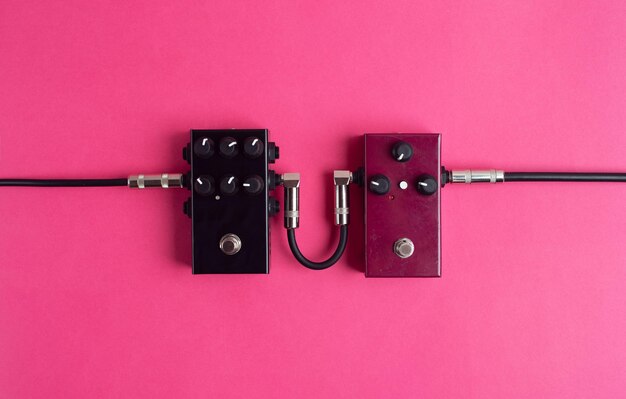
Distortion plugins are vital tools in the arsenal of any music producer, offering a creative way to shape sounds and unleash sonic textures that can elevate a track from ordinary to extraordinary. Whether you’re looking to add warmth to your mixes or introduce grit and edge, free distortion plugins can provide the flexibility you need without breaking the bank. In this article, we’ll dissect the essential aspects of distortion effects, exploring types such as overdrive, fuzz, and bit-crushing. With a clear understanding of these audio distortion types and their unique characteristics, you’ll be better equipped to harness their power in your music production journey. Dive in as we unlock the secrets of free distortion plugins and discover how these tools can transform your sound.
Understanding Free Distortion Plugins Explained
Distortion plugins play a vital role in audio production, enabling users to enhance their tracks by adding various sonic textures. These tools empower producers to craft everything from subtle warmth to aggressive edges, shaping the character of their sound.
There are several types of audio distortion, each with its own unique characteristics:
Overdrive: This effect simulates the sound of pushing an amplifier beyond its limits, creating a warm, saturated tone. It’s commonly used for electric guitars but can enhance other instruments as well.
Fuzz: Fuzz offers a more extreme distortion, often characterized by its gritty, aggressive sound. It’s popular in rock and psychedelic genres, adding a bold texture to the audio.
Bit-Crushing: This effect reduces the bit depth of an audio signal, creating a digital, lo-fi sound. It’s excellent for creative sound design, often imbuing a track with a vintage feel.
Understanding these distinct audio distortion types is essential for achieving desired outcomes in music production. Each plugin tailors the characteristics of these effects differently, leading to a myriad of possible sounds.
Free distortion plugins provide an accessible way for producers to experiment with these effects without financial constraints. They allow users to explore various sound design techniques, enriching their creative toolkit and enabling them to unlock unique sonic landscapes in their projects. With the right free VST plugins, users can delve into the world of audio distortion, finding the right fit for their artistic vision.
Best Free Distortion Plugins Recommendations
Numerous free distortion plugins cater to the diverse needs of music producers, from beginners to seasoned professionals. Here are some of the best recommendations, showcasing their unique features and advantages in music production.
1. Saturation Knob by Softube
This highly regarded plugin offers a simple, intuitive interface that allows users to control the amount of saturation applied to their audio. It provides flexibility, letting you prioritize low, neutral, or high-frequency harmonics, making it a go-to for adding warmth and character.
2. Boogex by Voxengo
Boogex stands out for its extensive features, including 62 amp and mic combinations. Its dynamic processing capabilities allow for nuanced harmonic generation, making it ideal for creative sound design. Its complexity can open up new sonic possibilities without overwhelming users.
3. Krush by Tritik
Combining digital and analog sounds, Krush features bit crushing and downsampling along with a modulation section. Its clean, resizable interface enhances usability, making it accessible for beginners while still offering depth for experienced producers seeking creative sound manipulation.
4. Klanghelm IVGI
Known for its subtle coloration and rich distortion, IVGI effectively mimics the dynamic response of analog hardware. It enhances audio tracks with warmth and sonic density, maintaining a natural sound while adding a touch of grit.
5. Ace Vintage Tube by Shattered Glass Audio
This plugin captures the essence of vintage tube amplifiers, providing rich, warm distortion that adds depth and character. It’s perfect for users looking for that classic analog vibe to their productions.
These free distortion plugins not only enhance creativity in sound design but also serve as essential tools for producers looking to achieve professional-quality audio without any cost. Their distinct features cater to a variety of musical styles and production preferences, allowing users to explore the vast landscape of distortion effects.
How to Use Distortion Plugins Effectively
Understanding how to apply distortion plugins effectively can significantly enhance the sonic character of your tracks. Here are practical tips to get you started:
Adjust the gain level before applying distortion. This ensures that your signal is strong enough to benefit from the effect without causing unwanted clipping. A well-staged input can make or break the quality of your output.
Choose the appropriate type of distortion based on the instrument. For example, overdrive may work wonders on guitars, while fuzz can add depth to bass lines. Knowing the strengths of each type will help you achieve the desired sound.
Layering distortion effects can create a richer audio landscape. Combining different types, such as an overdrive followed by a fuzz, allows for unique tonal explorations. However, be mindful of the overall mix; keep your layers balanced.
Experimentation is key. Subtle applications of distortion can breathe life into a track while more aggressive settings can deliver raw energy. Try adjusting the intensity to see what complements the existing arrangement best.
Here are some straightforward techniques to incorporate distortion into your workflow:
Start Small: Begin with subtle distortion and gradually increase intensity.
Parallel Processing: Use parallel processing to blend clean and distorted signals, retaining clarity while adding character.
Use EQ Post-Distortion: Shape the sound after applying distortion to ensure it fits well in the mix.
Check Levels Frequently: Monitoring levels can help avoid clipping, ensuring a polished final product.
Effective use of distortion plugins can open up new avenues for creativity in your audio projects. The possibilities are vast, so don’t shy away from experimenting until you find that perfect sound.
Distortion Plugin Compatibility and Performance Tips
Compatibility plays a crucial role when selecting distortion plugins, as it influences how smoothly they integrate into different Digital Audio Workstations (DAWs).
Before diving into a new plugin, check the system requirements to ensure it aligns with your setup. Many free distortion plugins are designed to work with popular DAWs, but specific installation methods or additional setup instructions might be necessary.
Managing CPU usage is vital for maintaining performance, especially if you’re working on larger projects. Here are some performance tips:
Use Freeze or Bounce Functions: Render tracks with heavy plugins to conserve CPU resources for more demanding processes.
Optimize Buffer Size: Adjust your DAW’s buffer settings, increasing it during mixing sessions where latency is less of a concern.
Selectively Use Plugins: Consider applying distortion selectively on specific tracks instead of routing everything through the same effect.
Monitor CPU Load: Keep an eye on your DAW’s CPU meter, and if you notice peaks, consider reducing the number of active plugins or simplifying complex chains.
With these tips, you can enhance your workflow and ensure that your distortion plugins provide the best possible results without hindering your production process.
Exploring Distortion for Different Music Genres
Distortion effects are versatile tools that play a significant role in various music genres, such as rock, electronic, and hip-hop. Each genre demands specific distortion techniques to enhance instrument sounds while shaping their unique character.
In rock music, distortion often serves to create that classic, gritty edge. Guitarists leverage overdrive and fuzz plugins to achieve powerful riffs and soaring solos. The saturated harmonics provide a robust sound that can cut through a mix, making guitars prominent and dynamic.
Electronic music, on the other hand, embraces distortion in more creative manners. Producers might use bit-crushing to add lo-fi textures, generating a raw, gritty feel to synths and samples. This can create a stark contrast between polished elements and textured sounds, enhancing the overall sonic palette.
Hip-hop relies heavily on distortion to give character to beats and samples. Producers often use subtle saturation to warm up drums, making them punchier in the mix. This helps in achieving a more full-bodied sound that resonates with listeners and effectively supports vocal performances.
By tailoring distortion settings to each genre, producers can dramatically alter track perception. The key is understanding how different distortion types, such as overdrive, fuzz, and bit-crushing, function within the context of a musical piece. Utilizing these techniques creatively allows producers to create custom sound profiles that resonate with their artistic vision.
Here’s a breakdown of how distortion can enhance instrument sounds across genres:
- Rock
- Enhances guitar riffs
- Adds grit and sustain
- Electronic
- Introduces lo-fi textures
- Contrasts polished sounds
- Hip-Hop
- Warms up drum sounds
- Supports vocal presence
Experimentation with distortion effects can significantly elevate the production quality across genres, unlocking new dimensions within music.
In conclusion, understanding the role of free distortion plugins in music production is crucial for anyone looking to enhance their sound. These plugins not only enrich audio with harmonic depth but can significantly influence the overall mood and texture of your tracks.
Exploring different types such as overdrive, fuzz, and bit-crushing effects enables you to experiment creatively, tailoring your sound to the specific needs of your genre. With so many high-quality options available, choosing the best free distortion plugins can be a true game-changer for your studio setup.
Moreover, effectively integrating these tools into your workflow, while ensuring compatibility with your preferred DAW, will facilitate a more fluid production process. Embracing the potential of these resources allows you to push the boundaries of your sound further.
Ultimately, with the insights shared in this article, you can navigate the world of free distortion plugins explained, equipping yourself to elevate your audio projects and unleash your creative potential.
FAQ
Q: What are some top free distortion plugins available for music production?
A: The top free distortion plugins include Saturation Knob by Softube, Krush by Tritik, Klanghelm IVGI, Ace Vintage Tube by Shattered Glass Audio, and TAL-Tube.
Q: How can I effectively use distortion plugins in my audio projects?
A: To use distortion plugins effectively, focus on gain staging, avoid unwanted clipping, and consider applying them creatively across different genres.
Q: What types of distortion effects should I know about?
A: Key distortion types include overdrive, fuzz, and bit-crushing, each offering unique tonal characteristics suitable for diverse musical styles.
Q: Are free distortion plugins compatible with commonly used digital audio workstations (DAWs)?
A: Most free distortion plugins are compatible with popular DAWs, but check specific system requirements and installation instructions for optimal performance.
Q: How do different distortion plugins differ in functionality?
A: Distortion plugins vary in features like harmonic generation, frequency control, and ease of use, impacting their application and sound quality for various instruments.
Q: What installation instructions should I be aware of for free distortion plugins?
A: Installation typically involves downloading the plugin, following the provided setup instructions, and ensuring it’s placed in the appropriate plugin folder for your DAW.
Q: What are some creative applications of distortion in music production?
A: Distortion can enhance warmth in vocals, add edge to guitars, and create unique sound designs for electronic music, encouraging experimentation.
Q: How can I compare different distortion plugins effectively?
A: Compare distortion plugins by evaluating their features, such as harmonic options, user interface, and intended applications, to find the best fit for your needs.





