
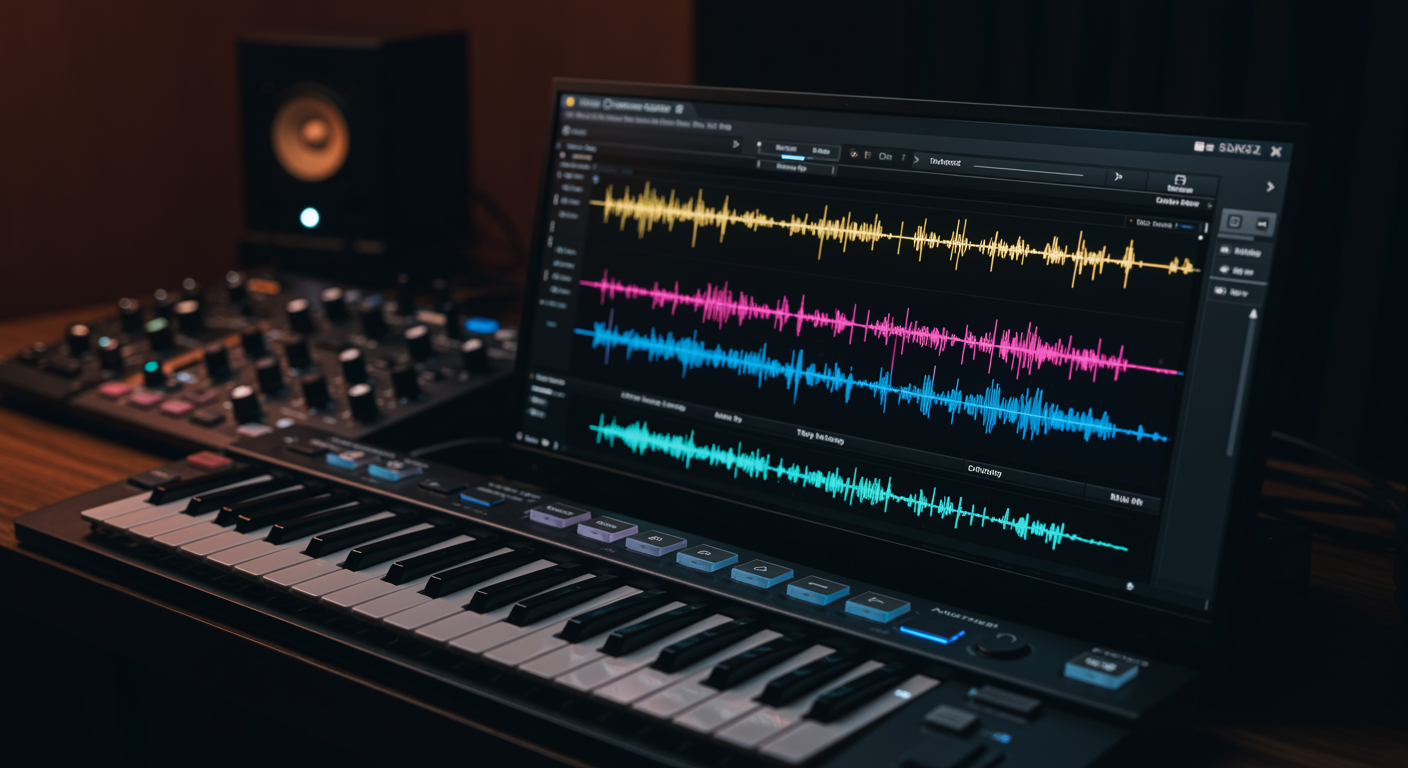
Vocal harmonizer plugins designed for monophonic samples meticulously analyze the single-note pitch, timing, and unique timbre of an individual vocal track to algorithmically generate one or more accompanying harmony parts. These digital tools allow producers and musicians to transform a solo vocal performance into a rich, multi-layered arrangement, creating the illusion of multiple singers or complex vocal textures directly within their digital audio workstation. For those looking to delve deeper into transforming vocal recordings, understanding various vocal sample manipulation techniques can further enhance creative possibilities.
Decoding How Vocal Harmonizer Plugins Process Monophonic Input
The core functionality of a vocal harmonizer plugin, particularly when dealing with monophonic samples, hinges on sophisticated real-time pitch detection and analysis. When a monophonic vocal track is fed into the plugin, the software first identifies the fundamental frequency (pitch) of the incoming audio signal with remarkable precision. This process involves complex algorithms that can accurately track the vocal line even with vibrato, slight pitch variations, or subtle changes in inflection inherent in human singing.
Once the primary pitch is established, the harmonizer then employs various synthesis techniques to generate additional vocal lines. These lines are typically created at specific musical intervals above or below the detected root note. For instance, a plugin might be configured to add a major third and a perfect fifth above the lead vocal, effectively building a major chord. The accuracy of the initial pitch detection is paramount, as any errors in tracking the source vocal will directly translate into inaccurate and potentially dissonant harmonies, undermining the desired musical effect.
Beyond simple pitch shifting, advanced harmonizers also integrate formant processing. Formants are the resonant frequencies that define the characteristic timbre and vowel sound of a voice. When a vocal is simply pitch-shifted without formant correction, the voice can sound unnatural, like a chipmunk or a monster, depending on the shift direction and magnitude. By analyzing and then shifting formants independently of pitch, these plugins can maintain the natural vocal quality of the original singer across the generated harmonies, making the layered voices sound more authentic and less like an artificial effect.
Many plugins also allow for MIDI input, providing a powerful method for precisely controlling the generated harmonies. Instead of relying solely on fixed intervals or predefined scales, a musician can play chords or melodic lines on a MIDI keyboard, and the harmonizer will use these MIDI notes to dictate the exact pitches of the harmony parts relative to the lead vocal. This level of control offers immense creative flexibility, enabling the creation of intricate vocal arrangements that might be challenging or impossible to perform manually.
Essential Features in a Quality Vocal Harmonizer
When selecting a vocal harmonizer plugin for monophonic sources, several key features distinguish a robust and versatile tool from a basic one. The precision of pitch tracking is fundamental; a high-quality harmonizer must accurately identify the lead vocal’s pitch in real-time, even through subtle nuances and variations. Without this foundational accuracy, the generated harmonies will sound out of tune or phase with the original, detracting significantly from the overall mix. Beyond harmonizers, exploring a VST plugins for effective mixing can provide broader insights into optimizing your audio productions.
Formant control is another indispensable feature. As discussed, the ability to shift formants independently of pitch is crucial for maintaining the natural timbre and gender-specific characteristics of the vocal across different harmony pitches. Plugins offering fine-grained control over formant shifting can prevent harmonies from sounding artificial or “chipmunk-like” when pitched up, or overly deep and muddy when pitched down, ensuring a more cohesive and realistic vocal blend.
Flexible harmony generation modes are also vital. While some plugins offer simple fixed-interval harmonies (e.g., always a perfect fifth above), more advanced options include scale-based harmonization, where the plugin generates harmonies that conform to a user-defined musical scale or key. Chord-based harmonization, often driven by MIDI input, provides the ultimate control, allowing users to dictate specific chord voicings for the harmonies. The best plugins often offer a combination of these modes, providing adaptability for various musical contexts and creative intentions.
Humanization parameters are critical for achieving natural-sounding results. Perfect, robotic harmonies can often sound sterile and detract from the organic feel of a performance. Features like “humanize,” “randomize,” or “drift” introduce subtle, adjustable variations in timing, pitch, and vibrato to the generated harmony parts, mimicking the slight imperfections and expressive qualities inherent in human singing. This helps the generated harmonies blend more seamlessly with the lead vocal and sound less processed.
Workflow integration and real-time performance are also important considerations. A good harmonizer plugin should have a clear, intuitive interface and operate with low latency, making it suitable for both studio production and live performance scenarios. Features such as solo/mute buttons for individual harmony voices, wet/dry mix controls, and output routing options for each harmony part further enhance its utility and allow for greater control during mixing.
Creative Applications of Monophonic Vocal Harmonizers
Vocal harmonizer plugins using monophonic samples offer a broad spectrum of creative possibilities for musicians, producers, and audio engineers. One of their most common applications is to effortlessly thicken and enrich a lead vocal. By adding subtle harmonies, often at a lower volume, a solo vocal track can gain a fuller, more robust presence in the mix without requiring multiple takes or additional singers. This technique is particularly effective for choruses or impactful lyrical phrases that need to stand out. Mastering the art of layering audio samples for depth can significantly enhance this process, creating a more cohesive and impactful sound.
Beyond simple thickening, these plugins are invaluable for quickly generating full backing vocal arrangements. A single lead vocal track can be transformed into a choir-like texture by programming multiple harmony parts. This allows a solo artist to create complex vocal harmonies that would otherwise necessitate hiring session singers or meticulously recording and layering multiple vocal takes, saving significant time and resources. The ability to audition different harmony configurations in real-time also speeds up the arrangement process dramatically.
Vocal harmonizers are also powerful tools for creative sound design. By pushing the parameters beyond realistic vocal harmonies, producers can create otherworldly textures, robotic voices, or abstract sonic backdrops from a human vocal. Extreme pitch shifts, unusual formant manipulations, or rhythmic gating applied to the harmonized voices can yield unique effects not achievable through conventional means. This opens doors for experimental music, film scoring, and creating distinctive sonic identities.
Live performance is another significant area where monophonic vocal harmonizers shine. Solo artists or smaller bands can use these plugins in real-time to augment their live vocals, providing backing harmonies on the fly. This eliminates the need for additional vocalists or pre-recorded tracks, allowing for a more dynamic and flexible live show. Modern plugins with low latency and robust processing ensure that the generated harmonies are synchronized perfectly with the live performance.
Furthermore, these plugins can be used for corrective purposes, subtly enhancing a vocal performance by adding harmonies that reinforce the intended melodic contour. For example, if a lead vocal has a strong melodic line, adding a harmonized third or fifth can make that line even more pronounced and impactful. They can also assist in vocal stacking, creating a consistent and cohesive blend when multiple natural vocal takes are present, by filling in gaps or adding a subtle sheen of perfect harmony.
Leading Vocal Harmonizer Plugins for Monophonic Sources
The market offers several high-quality vocal harmonizer plugins that excel at processing monophonic samples, each with its unique strengths and features. Among the most revered is Antares Harmony Engine. Renowned for its natural-sounding results and comprehensive control, Harmony Engine allows users to generate up to four harmony voices from a single input. It offers various harmony modes, including fixed interval, scale-based, and MIDI-driven, along with extensive humanization features and independent formant control for each voice. Its ability to create very realistic vocal stacks from a solo performance makes it a staple in many professional studios.
iZotope Nectar, while a comprehensive vocal production suite, includes a powerful harmonizer module specifically designed to create backing vocals and thicken lead performances. Nectar’s harmonizer module can generate multiple voices and offers intelligent control over pitch, level, and character for each harmony part. It integrates well within Nectar’s broader suite of vocal processing tools, making it a convenient all-in-one solution for many producers who need more than just harmonization.
Another strong contender is Eventide’s H3000 Factory and its more modern iterations. While not solely a harmonizer, Eventide’s legacy in pitch shifting and harmonization algorithms is legendary. Their plugins provide incredibly flexible and high-quality pitch manipulation, often used to create dense, ethereal harmonies or unique sonic textures from monophonic vocal inputs. These plugins are prized for their pristine audio quality and extensive modulation capabilities, allowing for extremely creative and unique harmonized effects.
For those seeking a more accessible or budget-friendly option, offerings like Waves OVox or similar plugins from smaller developers can also provide effective monophonic vocal harmonization. These often focus on real-time performance and ease of use, providing intuitive controls for generating basic harmonies, vocoder-like effects, or subtle thickening. While they might not offer the same depth of control or advanced humanization as high-end options, they are perfectly capable of delivering excellent results for many applications, especially when precise MIDI control is utilized.
When choosing, it’s crucial to consider the level of control over individual harmony voices, the sophistication of pitch and formant tracking, the variety of harmony generation modes, and the overall sound quality. Many developers offer demo versions, allowing producers to test how a plugin interacts with their specific vocal recordings and workflow before committing to a purchase.
Strategies for Crafting Authentic Vocal Harmonies
Achieving authentic and natural-sounding vocal harmonies with plugins requires more than just dialing in an interval; it involves a strategic approach to processing and mixing. One crucial strategy is to ensure the input vocal is as clean and in-tune as possible. While harmonizers can correct minor pitch discrepancies, they perform best with a well-recorded, pitch-accurate monophonic source. Pre-processing the lead vocal with gentle pitch correction or de-essing can significantly improve the harmonizer’s performance and the quality of the generated output.
Thoughtful interval selection is paramount. While musically “correct” intervals like major/minor thirds and perfect fifths are common, experimentation is key. Sometimes, octaves or even more unusual intervals can add unique character. Always consider the key and scale of the song to ensure the generated harmonies are musically congruent. MIDI input offers the most control, allowing you to explicitly dictate the harmony notes, mirroring the voicings a human choir might sing.
Formant control is often overlooked but critical for realism. Avoid setting formants at extreme values that drastically alter the vocal’s character unless a special effect is intended. Adjusting formants subtly for each harmony voice can help differentiate them while maintaining a natural vocal quality, preventing the stacked harmonies from sounding like a single voice pitched up or down. For example, a harmony pitched high might benefit from a slight downward formant adjustment to sound less “squeaky.”
Mixing the harmonies strategically is vital for integration. Rarely should generated harmonies be as loud or as forward as the lead vocal. They typically sit slightly behind the lead, adding width and depth without overshadowing the main performance. Applying gentle EQ, compression, and reverb to the harmonized parts, often distinct from the lead vocal’s processing, helps them blend seamlessly into the overall mix. For more insights on blending vocal elements, delve into professional mixing techniques for vocals, especially when working with various sources. High-passing harmonies can prevent muddiness, while subtle panning can create a wider stereo image.
Finally, utilizing humanization features is essential to avoid a robotic sound. Introduce slight variations in pitch, timing, and vibrato for each harmony part. Even minimal randomization can add a touch of organic imperfection, making the generated voices sound less like a machine and more like actual human singers. Auditioning the harmonies soloed and within the context of the full mix allows for precise adjustments to achieve that sought-after authentic and natural blend.
Overcoming Common Issues with Harmonizer Plugins
While vocal harmonizer plugins are powerful tools, they can sometimes present challenges that can detract from the desired outcome. One of the most common issues is the production of an unnatural or “robotic” sound. This often stems from overly precise or static harmony generation without sufficient humanization. To combat this, always engage and fine-tune the humanization parameters within the plugin. Introducing subtle, random variations in pitch, timing, and vibrato for each generated voice will significantly enhance realism, mimicking the slight imperfections of human singers. Adjusting formant shifting independently for each harmony can also prevent an artificial timbre.
Another frequent problem is phase issues or muddying in the mix. When multiple voices are generated from a single source and then layered, phase cancellation can occur, leading to a thin or hollow sound. To mitigate this, consider subtly detuning or delaying individual harmony voices by a few milliseconds. Panning the harmonies slightly outward in the stereo field, away from the center-panned lead vocal, can also create space and reduce phase conflicts. Additionally, applying different equalization (EQ) to the harmony tracks, perhaps scooping out some mid-range frequencies where the lead vocal resides, can help them sit better in the mix without clashing.
Inaccurate pitch tracking of the input vocal can lead to dissonant or off-key harmonies. This is often an issue with the quality of the original recording or the complexity of the vocal performance (e.g., heavy vibrato or imprecise pitching). Ensure the source vocal is as clean and pitch-accurate as possible before feeding it into the harmonizer. Pre-processing with a transparent pitch correction tool to gently nudge the lead vocal into perfect tune can drastically improve the harmonizer’s ability to create harmonious outputs. Some harmonizers also have sensitivity settings that can be adjusted to better track challenging vocal performances.
Excessive latency can be a significant problem, particularly in live performance scenarios or during real-time tracking in a DAW. While most modern plugins are optimized for low latency, complex algorithms can still introduce delays. If latency is an issue, check your audio interface buffer settings and consider using a dedicated DSP-accelerated system if your plugin supports it. In studio environments, latency might be less critical if you’re not monitoring through the harmonizer while recording the lead vocal, but for live use, it requires careful consideration and setup.
Finally, over-processing can lead to a washed-out or artificial sound. It’s easy to get carried away with multiple harmony layers and effects. Always listen to the harmonized vocals within the context of the full mix, not just soloed. Less is often more; sometimes, a single well-placed harmony voice with subtle processing is more effective than a dense, overproduced choir. Experiment with dry/wet mixes and blend the harmonies carefully to complement, rather than dominate, the lead vocal. For those interested in enhancing their productions with high-quality vocal elements, exploring sources for free vocal samples can provide additional creative inspiration.





