
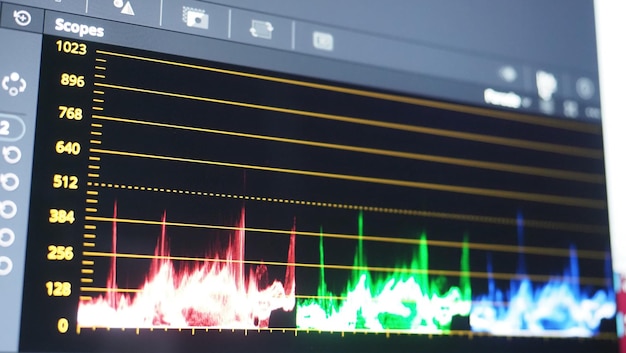
Equalization is a cornerstone of music production, and for beginners, understanding VST equalizer plugins is the first step toward mastering this essential tool. These virtual devices not only let you manipulate specific frequency ranges but also play a vital role in enhancing the overall audio quality of your tracks. By integrating seamlessly into digital audio workstations (DAWs), VST equalizers empower you to cut or boost frequencies, resulting in clearer and more balanced mixes. In this beginner’s guide, we’ll dive into the workings of equalizers, unravel their importance in music production, and equip you with the knowledge needed to elevate your sound. Whether you’re just starting your audio journey or seeking to sharpen your skills, this guide will unlock the secrets of sound shaping and set you on the path to producing professionally polished tracks.
Understanding VST Equalizer Plugins
VST equalizers are essential tools in the music production toolkit, allowing producers to alter specific frequency ranges to enhance audio quality. They function as virtual devices integrated into digital audio workstations (DAWs), enabling users to cut or boost frequencies. This capability is vital for achieving clarity and balance in a mix.
Understanding how VST equalizers work is crucial for both beginners and seasoned producers alike. These plugins provide vital adjustments that influence the overall sound of individual tracks. By manipulating frequency content, producers can ensure that sounds complement each other, avoiding conflicts—often referred to as frequency clashes—that can muddy the mix.
The process typically involves selecting a frequency range and adjusting its gain. While beginners may initially feel overwhelmed by all the settings, focusing on the basic controls can yield significant improvements in their productions.
Here are the main aspects of VST equalizers to consider:
Cutting vs. Boosting: It’s often recommended to cut frequencies rather than boost them, allowing for a more natural sound and preventing distortion.
Frequency Ranges: Understanding which frequencies affect different elements in a mix is crucial. For instance, low-end frequencies are essential for bass, while mid-range frequencies often carry the melodies.
Real-time Feedback: Most VST equalizers provide visual feedback, allowing users to see frequency changes as they adjust settings. This immediate response is invaluable for fine-tuning mixes.
Versatility: VST equalizers can be applied across various tracks—vocals, instruments, drums—ensuring each element sits well within the overall soundscape.
Overall, mastering VST equalizers is fundamental for anyone aiming to create professional-sounding tracks.
Types of VST Equalizers Explained
Different types of VST equalizers serve various purposes in audio mixing, each bringing unique strengths to the table.
Parametric Equalizers are highly versatile, allowing precise control over frequency, gain, and bandwidth. This makes them ideal for detailed adjustments, like carving out space for vocals or emphasizing bass lines. Their ability to select frequency ranges and adjust using Q-factor settings provides flexibility that is invaluable, especially when working on complex mixes.
Dynamic Equalizers take things a step further by automatically adjusting gain based on the incoming audio levels. This functionality is particularly useful for managing varying frequencies within the same audio source, such as controlling harshness in vocals or smoothing out guitar tracks. They combine the benefits of EQ with compression, making them perfect for dynamic sources that need careful handling.
Graphic Equalizers offer a more straightforward approach with fixed frequency bands that can be boosted or cut using sliders. They present a visual representation of the frequency spectrum, simplifying the process for beginners who might feel overwhelmed by more complex interfaces. While not as flexible as parametric equalizers, graphic equalizers can be effective for straightforward tasks, such as room correction or creating a specific tonal balance across a mix.
Each of these types of equalizers has its ideal use cases. Whether you opt for parametric for detailed control, dynamic for reactive adjustments, or graphic for simplicity, understanding these differences will guide beginners in selecting the right tool for their music production tasks.
Selecting the appropriate equalizer type can immensely impact your audio quality, making familiarity with their features essential for effective mixing and mastering.
Setting Up VST Equalizers in Your DAW
Installing VST equalizers is a straightforward process that opens doors to enhancing your audio tracks.
Begin by downloading your chosen EQ plugin. Ensure that it is compatible with your Digital Audio Workstation (DAW)—most modern DAWs support various VST plugins seamlessly.
Once downloaded, locate the plugin installation file, and follow these steps to install it:
- Run the installer and select the destination folder where your DAW reads VST plugins. Common paths include:
- Windows:
C:\Program Files\VSTPluginsor a similar directory. - Mac:
/Library/Audio/Plug-Ins/VSTor/Users/YourUsername/Library/Audio/Plug-Ins/VST.
- After installation, open your DAW and access the plugin manager or settings to refresh the plugin list, ensuring your new equalizer is recognized.
To set up the equalizer on an audio track, follow these steps:
Create or select an audio track in your DAW.
In the mixer or track settings, look for the effects section or insert slots where you can add effects.
Select your newly installed VST equalizer from the list of available plugins.
Once the equalizer is inserted, familiarize yourself with its interface. Most EQs offer a visual representation of frequency adjustments, allowing you to cut or boost specific ranges effectively.
Experiment with different settings on various audio tracks to discover how the EQ can shape your mix, enhance clarity, and avoid frequency clashes.
Knowing how to integrate these tools within your DAW will significantly improve your production workflow and sound quality.
Fundamental Equalization Techniques for Beginners
Effective equalization techniques are essential for enhancing sound quality in music production. Beginners should start by understanding frequency ranges—this knowledge is key to using EQ successfully.
Focusing on cutting unnecessary low-end frequencies is a fundamental technique. For instance, reducing frequencies below 80Hz on non-bass instruments can clean up a mix, allowing the kick drum and bass to shine without mudding the overall sound.
When it comes to vocals, boosting mid-range frequencies, particularly around 2-5kHz, can enhance clarity and presence. This adjustment helps vocals stand out, especially in a dense mix of instruments.
Utilizing EQ presets is another practical tip for beginners. Many EQ plugins offer factory presets tailored for different instruments or vocal types, speeding up the mixing process. Experimenting with these presets gives a solid starting point before making additional tweaks.
However, be cautious of common mistakes. Over-EQing is a frequent pitfall that can lead to unbalanced tracks. Instead of over-boosting, aim for subtle cuts and boosts of a few dB to maintain a natural sound. Trust your ears and remember that sometimes, less is more when it comes to EQ adjustments.
Additionally, adopting a critical ear while mixing will significantly help. Take breaks to revisit your mix with fresh ears and avoid getting too accustomed to certain frequencies that could easily lead to skewed judgments.
By employing these fundamental techniques with care, beginners can confidently apply EQ to their music productions, leading to clearer, more polished mixes.
Best VST Equalizers for Beginners
A variety of VST equalizers cater to beginners, making the entry into audio production smooth and intuitive. When choosing a plugin, look for options that offer user-friendly interfaces and helpful visual feedback.
Here are some popular VST equalizers that are particularly suitable for newcomers:
- TDR Nova
- A dynamic EQ that combines parametric equalization with compression.
- Offers a clear interface and gentle learning curve.
- Built-in presets help beginners quickly adapt and find the right settings.
- Melda Production MEqualizer
- A versatile parametric EQ with a simple layout and easy-to-use controls.
- Allows for flexible filtering with a range of built-in presets.
- Good visual feedback aids in understanding frequency adjustments.
- FabFilter Pro-Q 3 (Trial Version)
- While a paid option, it offers a free trial that is advantageous for beginners.
- Known for its intuitive drag-and-drop interface and comprehensive spectrum analysis.
- Dynamic EQ features help manage frequency clashes effectively.
- iZotope Ozone Equalizer
- Part of the Ozone mastering suite, featuring an intuitive visual interface.
- Includes easy-to-navigate frequency bands and smart assistive features.
- Enables precise control over the mix while remaining beginner-friendly.
- ReaEQ (Reaper)
- A free, built-in EQ for Reaper that combines power with simplicity.
- Offers unlimited bands and straightforward gain adjustments.
- Provides clear visual representation for better understanding.
These plugins are designed to facilitate easy experimentation with EQ, perfect for beginners honing their mixing skills. They allow novice producers to explore equalization techniques without feeling overwhelmed, as the controls and features cater to varied sonic needs while making learning enjoyable.
Understanding VST Equalizer Plugins
EQ, or equalization, plays a pivotal role in music production, allowing you to shape the frequency content of individual sound elements such as drums, bass, and vocals.
VST equalizer plugins are tools designed to manipulate specific frequency ranges within an audio signal. By utilizing EQ, you can cut or boost certain frequencies, which enhances the overall sound quality of your mix while preventing frequency clashes that can make your production sound muddy or unbalanced.
Understanding the functionality of EQ plugins starts with recognizing their primary controls.
Most EQs feature a graphical interface where you can adjust parameters like frequency, gain, and bandwidth (Q).
This lets you refine your sound to maintain clarity and enhance desired aspects. For example, boosting low frequencies can add warmth to a kick drum, whereas cutting mid-range frequencies can help a vocal track stand out.
Another essential concept is the importance of subtlety.
It’s often advised to make small adjustments, typically within a few decibels. This not only helps to keep a natural sound but also preserves the integrity of the original audio signal.
Grasping the fundamental purpose of EQ plugins and applying them effectively is crucial for beginners venturing into audio mixing. They can be the ultimate game-changer in your music production toolkit, allowing you to achieve a polished and professional sound.
In conclusion, mastering the art of equalization is fundamental for anyone embarking on a journey in music production.
VST equalizer plugins serve as powerful tools, allowing you to shape your sound and ensure clarity in your mixes. By understanding their functionality and the different types available, beginners can start to implement effective EQ techniques that enhance their productions.
It’s essential to approach EQ with intention, utilizing foundational tips and troubleshooting strategies to avoid common pitfalls.
As you explore the landscape of audio mixing and find the right plugins that fit your style, remember this: a solid grasp on EQ can truly elevate your work.
This beginner’s guide to VST equalizer plugins is your stepping stone into creating clearer, more polished music that resonates. Embrace these principles, experiment, and let your creativity shine.
FAQ
Q: What is a VST equalizer plugin?
A: A VST equalizer plugin is a digital tool used in music production to adjust specific frequency ranges, allowing users to boost or cut sounds for better audio quality.
Q: How do I get started with VST equalizers?
A: To start with VST equalizers, focus on understanding frequency ranges and basic settings. Use cutting techniques for clarity without overwhelming the mix.
Q: What are the different types of VST equalizers?
A: Types of VST equalizers include parametric EQ for precise control, graphic EQ for fixed bands, and dynamic EQ that responds to audio level changes.
Q: What are effective EQ techniques in mixing?
A: Effective EQ techniques involve adjusting frequency ranges to enhance clarity and warmth. Avoid common mistakes like over-boosting frequencies and ensure proper referencing.
Q: How can I use VST equalizers effectively?
A: To use VST equalizers effectively, analyze settings based on the mix context and utilize frequency graphs for informed adjustments while managing resonant peaks.
Q: What are some popular VST equalizer plugins for beginners?
A: Popular VST equalizer plugins for beginners include TDR Nova and Melda Production’s MEqualizer, known for their functionality and affordability.





