
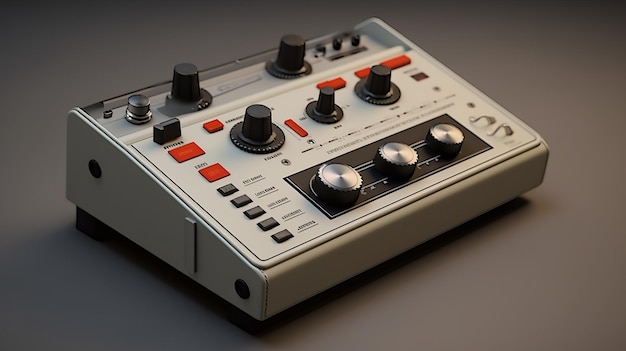
VST synthesizers have revolutionized the way music is produced, giving you the flexibility to create and manipulate sounds like never before. Whether you’re a seasoned music producer or just starting your sonic journey, understanding the essential tips for using VST synthesizers can elevate your audio production game. From mastering key parameters like filter cutoff and LFO depth to employing effective sound design techniques, these insights will empower you to shape your unique sound. Dive into our essential tips and discover how to harness the full potential of VST synthesizers for your creative projects.
General Tips for Using VST Synthesizers
Understanding the core functionality of VST synthesizers can significantly streamline your music production process.
Start by familiarizing yourself with essential parameters like filter cutoff, LFO depth, and envelope settings. Adjusting these can radically change your sound, allowing for dynamic modulation that brings life to your patches.
Regularly experiment with existing presets; they serve as a great foundation for your sound design. Modifying these to suit your style can unveil hidden potential within your synth.
Optimize your workflow by initializing synths to a basic patch. This gives you a clean slate for experimentation without the distraction of convoluted settings.
Maintain a library of your favorite sounds for quick access during projects. This practice can save time and keep you inspired when creativity strikes.
Utilize MIDI controllers effectively. Assigning parameters to physical knobs or sliders can make the editing process more intuitive and expressive.
Consider layering sounds for richer textures; combining different VSTs or patches often yields fascinating results. But be careful—too many layers can muddy your mix.
Automation is your friend. Automating parameters across your track can create movement, interest, and evolving sounds that captivate the listener.
Above all, embrace experimentation. Trying unconventional methods can lead to unique sounds and inspire your creativity.
Ultimately, building a strong foundation in the basics of VST synthesizers will enhance your overall productivity and elevate the quality of your music.
Programming VST Patches Effectively
Effective programming of VST patches involves a deep dive into modulation parameters, envelope settings, and LFO integration for dynamic sound shaping.
Start by exploring modulation options. LFOs can modulate parameters like pitch, filter cutoff, or amplitude. This allows you to introduce movement and rhythmic variation in your patches. Experimenting with the speed and depth of LFO modulation can produce everything from subtle vibrato to drastic filter sweeps.
Next, focus on envelopes—arguably one of the most crucial aspects of sound design. Adjust the attack, decay, sustain, and release settings to shape how your sound evolves over time. For instance, a quick attack with a longer release can create a punchy sound that fits well into rhythmic contexts, while a slower attack can yield smoother, more ambient tones.
Layering different sounds enhances depth and complexity. Combine patches that complement each other sonically, such as stacking a bright lead sound with a thicker pad. This technique can foster a richer texture and add interest to even the most straightforward musical lines. Be mindful of phase issues; slight adjustments in timing or pitch can help eliminate any thinness in sound.
Don’t shy away from experimenting with effects either. Reverbs, delays, and modulation effects can breathe new life into your patches. They can add spatial depth or rhythmic complexity, making your sound design more engaging.
Here are some quick tips for effective programming:
Explore modulation destinations: Use LFOs and envelopes creatively to control various parameters.
Tweak envelope settings: Adjust attack and release to significantly influence character.
Layering sounds: Combine different patches for richer textures.
Experiment with effects: Use delays and reverbs for added depth, ensuring clarity in the mix.
With these strategies, you can program VST patches that are not only effective but also uniquely expressive.
Enhancing Sound Quality with VST Synths
Proper effects processing and mixing techniques can greatly enhance the overall sound quality of VST synthesizers.
Balancing EQ, reverb, and other effects is essential for creating a polished mix while preventing muddiness.
Here are some strategies to improve the sound quality of your VST synths:
Use EQ Wisely: High-pass filters can remove unnecessary low frequencies, making space for bass elements.
Additionally, adjusting mid and high ranges can help achieve clarity.
Layer Your Sounds: Stacking different synth patches can create a fuller, richer sound.
Ensure each layer serves a unique role to avoid phase issues and muddiness in the mix.
Utilize Reverb: Adding reverb can create a sense of space.
However, be cautious not to overdo it, as excessive reverb can lead to a washed-out sound.
Adjust Compression: Gentle compression can enhance the sustain and punch of your sounds.
Aim for a balanced and dynamic mix by carefully adjusting the attack and release settings.
Experiment with Distortion: Subtle distortion can add warmth and character.
Applying this effect judiciously, especially on bass sounds, can produce a more engaging texture.
Automate Effects: Use automation for reverb and delay to create movement in your sound.
This technique can introduce dynamic changes throughout your track.
Check Gain Staging: Maintain proper gain staging throughout your session to avoid unwanted clipping.
Each sound should sit comfortably in the mix without causing distortion.
By employing these strategies, you can significantly improve the sound quality of your VST synthesizers, ensuring a clear and compelling final mix.
Creative Sound Design Techniques for VST Synths
Exploring unconventional synthesis techniques can lead to outstanding sound design results.
Experiment with layering different sounds. Stack multiple patches or even combine synths to create rich textures. Be cautious, though; phase issues can arise if layers interfere, so listen closely to how they blend.
Using filters creatively can drastically change the character of your sounds. Try automating filter cutoff and resonance to add movement. High-pass or low-pass filters can carve out frequencies that lead to more clarity, preventing muddiness in your mix.
Don’t be afraid to explore non-standard modulation destinations. Assign LFOs to unexpected parameters, such as filter feedback or oscillator shape, to introduce unique dynamics into your sounds. For example, modulating the filter cut-off based on velocity can yield exciting results, changing how a sound evolves based on your playing dynamics.
Here are some techniques to inspire your creative process:
Layer sounds: Combine different synths or patches for richer textures.
Use unconventional modulation: Assign LFOs to unusual destinations for unexpected sonic variations.
Automate parameters: This creates evolving sounds that breathe life into your patches.
Experiment with filters: Try different filter types and settings. Automate cutoff and resonance for movement.
Revisit presets: Tweak presets from various sources to find hidden gems.
Let curiosity guide your experimentation. The world of VST synths is full of untapped potential; every tweak can open the door to fresh inspiration. Take risks, make mistakes, and enjoy the journey into sound design.
Troubleshooting Common VST Synth Issues
Users often face challenges related to VST compatibility and audio routing, which can hinder their experience. Here are some essential troubleshooting methods to ensure smooth operation within your digital audio workstation (DAW).
Check VST Compatibility
Ensure the VST synth is compatible with your DAW. Each DAW has specific requirements, including the operating system and architecture (32-bit vs. 64-bit).Audio Routing Issues
If there’s no sound, verify that the audio output settings in your DAW are correctly configured. Confirm that the synth is routed to a valid audio channel and not muted.Initial Setup
When adding a VST synth, make sure it is properly initialized. Loading default patches can eliminate complex settings that might disrupt performance.MIDI Configuration
Ensure your MIDI controller is correctly connected and configured. Check MIDI input settings and adjust channel assignments if necessary.Updating Plugins
Outdated plugins can cause issues. Regularly check for updates from the developer to ensure compatibility and stability.Reinstalling the Plugin
If problems persist, try reinstalling the VST synth. This can resolve corrupted files and restore default settings.Using Default Preferences
In case of software conflicts, resetting your DAW to its default preferences can help resolve unexpected behaviors.
By familiarizing yourself with these troubleshooting techniques and the underlying architecture of VSTs, you can tackle common issues effectively, ensuring optimal performance and a hassle-free creative process.
In conclusion, mastering VST synthesizers can dramatically elevate your music production skills.
By applying the general tips for using VST synthesizers discussed throughout this article, you can streamline your workflow, enhance creativity, and refine your sound design techniques.
From understanding the basics of installation and compatibility to manipulating sounds and integrating MIDI effectively, these foundational insights pave the way for more advanced exploration.
As you continue to hone your skills, remember that experimentation is key. Don’t hesitate to try new presets or dive deep into sound layering.
With persistence and practice, the possibilities with VST synthesizers are truly endless. Embrace the journey, and let your musical expression thrive.
FAQ
Q: What are the basics of using VST synthesizers?
A: Understanding installation, setup, and compatibility with your DAW is crucial. Familiarize yourself with key components like oscillators, filters, and envelopes for effective usage.
Q: How can I enhance my sound design with VST synthesizers?
A: Experimenting with oscillators and filters can create unique sounds. Layering sounds and using modulation techniques will add depth and richness to your sound design.
Q: What tips can improve my MIDI integration with synthesizers?
A: Learn about MIDI functionality and real-time control for dynamic performance. Adjusting MIDI parameters during sequencing enhances workflow and creativity.
Q: What should I consider when mixing VST synthesizers into my tracks?
A: Effective mixing involves balancing levels, using EQ, and applying effects to ensure clarity and integration within your production, enhancing the overall sound.
Q: How can I streamline my VST synthesizer workflow?
A: Prepare by saving presets and creating templates. Utilize MIDI controllers to animate sounds, and keep an organized library for quick access during production sessions.





