
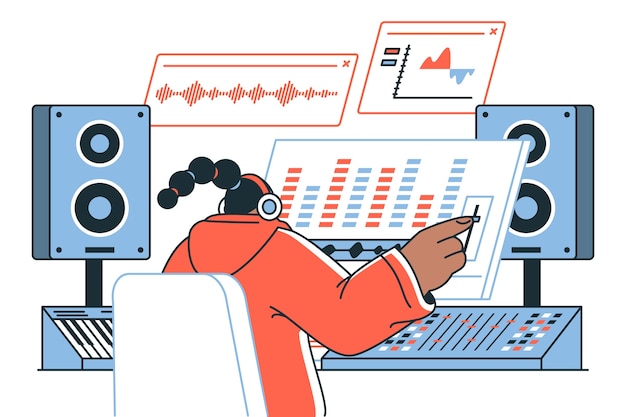
In the world of music production and sound engineering, audio editing software is your ultimate ally in shaping and refining recorded sound. This comprehensive guide will walk you through the essentials of audio editing tools, revealing how they help elevate your projects by enhancing sound quality, eliminating unwanted noise, and manipulating audio to suit your artistic vision. From the multitrack capabilities of digital audio workstations (DAWs) to the diverse array of applications available, understanding these tools is crucial for anyone looking to achieve sound excellence. Join us as we demystify the key features, best options for various needs, and the emerging trends that are revolutionizing the audio editing landscape.
Audio Editing Software Explained: An Overview
Audio editing software is crucial for modifying recorded sound to achieve a desired effect. It enhances sound quality, removes unwanted noise, and allows users to adjust lengths or pitches of audio tracks.
Digital Audio Workstations (DAWs) serve as the primary tools for audio editing. These platforms usually feature multitrack editing capabilities, letting users work with multiple audio layers simultaneously to create complex soundscapes.
Key functionalities of audio editing applications include:
Equalization: Adjusts the balance between frequency components, enhancing clarity.
Compression: Evens out volume differences, maintaining a consistent sound level.
Effect Applications: Allows for the addition of various audio effects like reverb or delay, enriching the listening experience.
Compatibility: Supports various audio formats, including WAV and MP3, allowing seamless integration.
User Interface: Intuitive design helps streamline the editing process, making it accessible to beginners and professionals alike.
These features collectively empower users to curate polished audio experiences. Audio editing software is not just a tool; it’s an essential component in music production, podcasting, and film, elevating the overall quality of sound and ensuring that the listener’s journey is engaging and immersive.
Key Features of Audio Editing Software
Effective audio editing software includes a range of essential features designed to enhance the quality and manageability of audio tracks.
Multitrack editing capabilities allow users to handle multiple audio layers simultaneously. This is crucial for layering background music, sound effects, and dialogue, permitting a cohesive sound palette that is essential in both music production and video editing.
Comprehensive sound mixing tools enable volume control and balance adjustments within tracks. Users can manipulate individual track levels, ensuring that every element of the audio stands out as needed, striking the right balance for an engaging listener experience.
Equalization (EQ) is key for achieving frequency clarity. This feature allows for adjusting essential frequency ranges, helping to enhance clarity and remove unwanted muddiness, making each sound component crisp and distinct.
Compression manages audio dynamic ranges, making loud sounds quieter and quiet sounds louder. This essential feature helps maintain consistent audio levels, preventing abrupt volume changes that can distract listeners.
Noise reduction techniques improve overall sound quality by alleviating unwanted background noise. This feature ensures that the final product is clean and clear, emphasizing the intended audio while minimizing distractions.
Automation facilitates nuanced control over different aspects of sound across a track. Volume and effects automation enables creators to dynamically adjust elements according to the desired creative vision.
Support for various audio file formats enhances functionality, providing versatility in handling different audio types, including WAV, MP3, and AIFF. This capability allows for seamless integration across different platforms and devices.
The combination of these features empowers users, giving them the tools to create professional-quality audio for music, podcasts, and visual media efficiently.
Best Audio Editing Software for Different Needs
Choosing the right audio editing software is crucial for enhancing your audio projects, whether you’re a beginner or a seasoned professional. Below is a comparative analysis of popular audio editing software tailored to different user needs.
| Software | Type | Ideal For | Key Features |
|---|---|---|---|
| Audacity | Free | Beginners | Basic editing tools, supports multiple formats, easy noise removal. |
| GarageBand | Free | Mac users and beginners | Built-in loops, virtual instruments, user-friendly interface. |
| Adobe Audition | Professional | Podcasting and music production | Multitrack editing, advanced sound restoration, comprehensive mixing tools. |
| Logic Pro X | Professional | Music producers | ECU, sophisticated MIDI editing, and a vast library of sounds. |
| FL Studio | Professional | Electronic music producers | Pattern-based workflow, virtual instruments, and plugins. |
For beginners, free audio editing software like Audacity or GarageBand is perfect for exploring basic features. They offer essential tools like cutting, fading, and mixing without overwhelming the user.
On the other hand, professionals often need advanced capabilities. Software like Adobe Audition and Logic Pro X provides sophisticated features, including multitrack editing and comprehensive mixing tools, essential for high-quality production tasks.
Ultimately, your choice of audio editing software should align with your specific needs. Whether you’re creating engaging podcasts, producing music, or improving audio for videos, understanding the different types available will help you make an informed decision.
Audio Editing Techniques for Beginners
Common audio editing techniques are essential for beginners diving into the world of sound.
Cutting, fading, and reconstructing audio tracks play a significant role in producing clear and engaging audio content.
Cutting involves removing unwanted segments, ensuring that only the best parts of your recording remain.
Fading, both in and out, helps to create smooth transitions, reducing abrupt volume changes that can distract listeners.
Additionally, learning how to reconstruct audio tracks can enhance storytelling elements in podcasts and other media formats.
Focusing on noise reduction methods is crucial for beginners.
Utilizing noise gates or audio restoration tools can minimize background sounds that detract from the main content.
This technique helps maintain a clean audio landscape, allowing the primary audio to shine through without interference.
Applying audio effects judiciously is another vital aspect.
Effects like reverb or echo should be used sparingly to avoid overwhelming the final product.
Overprocessing can lead to a muddied sound.
Striking a balance keeps the focus on the content while enhancing the listening experience.
Finally, practicing these techniques regularly will build confidence and proficiency.
Working within a digital audio workstation (DAW) fosters a hands-on approach, allowing beginners to experiment with various tools and effects.
By mastering these core audio editing techniques, beginners can elevate their projects and create captivating audio content.
Emerging Trends in Audio Editing Software
The audio editing landscape is currently experiencing significant advancements, particularly with the rise of AI technologies.
AI integration is enhancing user experiences by automating functions like mixing and noise reduction, allowing for more efficient and streamlined workflows.
This trend enables users to focus on more creative aspects of audio production while relying on smart algorithms to handle technical nuances.
Subscription models for audio editing software are also gaining traction, providing users with flexible options for accessing premium features without hefty upfront costs.
This shift allows for the continuous improvement of software, offering ongoing updates and enhancements without users having to purchase new versions.
Additionally, community reviews are becoming an essential aspect of the decision-making process for audio editing tools.
User feedback often highlights effectiveness and satisfaction, helping prospective users identify which software aligns best with their needs.
As the industry evolves, these trends are likely to shape the future of audio editing software, making it more accessible and powerful for creators in various fields.
Audio Editing Software Explained: Understanding the Basics
Audio editing software is designed to modify recorded sounds for various purposes, including improving quality, removing noise, and altering pitch.
At the heart of this software are Digital Audio Workstations (DAWs), which serve as the primary tools for audio editing. DAWs provide essential features such as equalization, compression, and sound mixing that play a crucial role in audio production.
These editing solutions enhance sound quality across numerous applications, such as music production, podcasts, and films. High-quality audio leads to a more engaging listener experience, making it vital for content creators to invest time in mastering audio editing techniques.
Here are some common functions of audio editing software:
Improving Sound Quality: The software enhances clarity by reducing background noise and adjusting audio levels.
Altering Length and Pitch: Users can modify audio files to fit specific time constraints or artistic choices.
Mixing Multiple Tracks: Audio editing software allows for multitrack editing, making it easier to integrate various sound elements into a cohesive audio piece.
Most audio editing platforms support multiple audio formats, including WAV and MP3, facilitating seamless importing and exporting for various projects.
Understanding the fundamentals of audio editing software empowers creators to produce high-quality content that resonates with their audience. By mastering these tools, users can elevate their productions, ensuring an immersive and engaging experience for listeners and viewers alike.
In conclusion, understanding audio editing software is crucial for anyone looking to enhance their audio projects, whether in music, podcasts, or film. We’ve explored the various types of audio editing software available, highlighting their unique features and applications.
From professional studios to mobile apps, the right tools can significantly impact your editing efficiency and audio quality. As you implement the tips and best practices discussed, remember that the importance of high-quality audio cannot be overstated.
Ultimately, as this journey illustrates, audio editing software explained offers a pathway to achieving professional-sounding results that captivate and engage your audience. Embrace these insights, and let your creative audio endeavors flourish.
FAQ
Q: What is audio editing software?
A: Audio editing software modifies recorded sounds to improve quality, remove noise, and adjust pitch, enhancing audio for various uses like music production, podcasts, and film.
Q: What are the essential features of audio editing software?
A: Key features include multitrack editing, sound mixing tools, equalization, compression, reverb effects, dialogue enhancement, and compatibility with multiple audio formats.
Q: How does audio editing software benefit video production?
A: It enhances sound quality, creating immersive experiences through clear dialogue, balanced sound levels, and engaging soundscapes that support storytelling.
Q: What types of audio editing are common?
A: Common types include cutting, fading, and mixing. Cutting removes unwanted sections, fading smooths out volume changes, and mixing merges multiple audio tracks.
Q: What do Digital Audio Workstations (DAWs) offer for audio editing?
A: DAWs provide essential editing features like equalization, compression, and effects, displaying audio tracks on a timeline for precise editing.
Q: How can beginners improve their audio editing skills?
A: Beginners can use low-pass filters, adjust volume levels mindfully, and apply effects like reverb sparingly to enhance audio without compromising quality.
Q: Why is audio quality important in editing?
A: High-quality audio significantly enhances listener engagement, clarity, and professionalism, making projects more captivating and effective across various platforms.





