
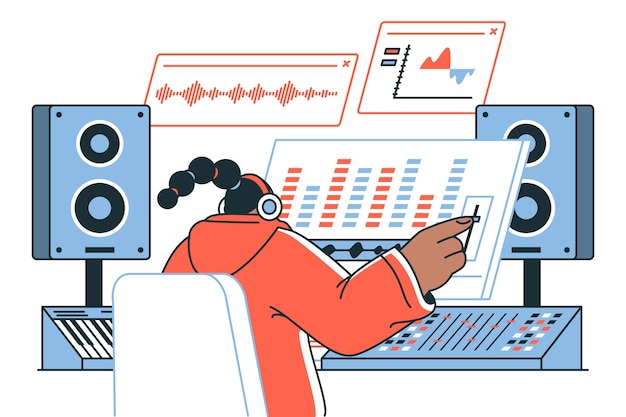
Diving into the world of audio editing can feel overwhelming for beginners, but mastering basic audio editing operations is essential for any aspiring music producer or podcaster. Whether you’re looking to enhance dialogue in a podcast, polish a music track, or simply want to manipulate recorded sounds for better quality, understanding the fundamentals sets the groundwork for your journey. With two primary approaches—destructive and non-destructive editing—you can shape your audio projects with confidence. This article will guide you through essential techniques and operations that will sharpen your skills and empower you to create compelling audio experiences right from the start.
Understanding Basic Audio Editing Operations
Audio editing involves manipulating recorded sounds, such as dialogue or music, to enhance quality and readability. It’s essential for crafting professional content across various platforms, including music production and podcasting.
There are two primary types of audio editing: destructive and non-destructive. Destructive editing permanently alters the original audio, which can speed up processing and result in quicker exports. However, it may limit flexibility, as mistakes can be challenging to rectify after changes are made.
In contrast, non-destructive editing keeps the original audio intact, allowing for more flexible edits and real-time modifications without losing the initial quality. While it requires more processing power and may not immediately show the effects until rendered, this method offers a safety net for beginners learning the ropes.
Key audio editing techniques include:
Trimming audio clips to remove unnecessary silence or noise, ensuring a smooth overall flow.
Adjusting levels to maintain a consistent volume throughout tracks, greatly enhancing the listening experience.
Fades can smooth transitions, preventing abrupt starts or stops in audio segments.
Understanding these basic audio editing operations is crucial for anyone aiming to improve their audio projects. Mastering these techniques not only enhances audio quality but also fosters creativity, enabling creators to produce engaging and polished content.
Fundamental Audio Editing Techniques
Understanding essential audio editing techniques can drastically enhance the quality of your audio projects.
Audio trimming is one of the most fundamental techniques. It involves cutting out unnecessary segments of an audio recording. This process helps to create a more polished and engaging final product. By carefully removing unwanted pauses or mistakes, you can significantly improve flow and maintain listeners’ attention.
Next, audio merging comes into play. This technique allows you to combine multiple audio tracks into a single cohesive piece. Merging is particularly useful in creating layered sounds or incorporating various elements, such as music and voiceovers. It can foster a rich audio landscape that enhances the overall production quality.
Fading is another critical technique. It allows for smooth transitions between different audio segments. By gradually increasing or decreasing the volume of a clip, you can prevent abrupt starts and stops, ensuring a more pleasant listening experience. Fades can also create a dramatic effect, drawing your audience in as the sound builds or recedes.
Additionally, applying transitions can make audio edits more seamless. These techniques act as bridges between different audio clips, making it easier for listeners to absorb the overall content. Utilizing techniques like crossfades can particularly improve transitions between tracks.
Mastering these audio editing techniques—trimming, merging, fading, and applying transitions—can significantly enhance the quality of your work. Each technique plays an essential role in crafting a refined audio production, ensuring your audience remains engaged and immersed in the listening experience.
Noise Reduction and Equalization Basics
Noise reduction techniques are essential for cleaning up audio tracks by eliminating unwanted sounds such as background hum, clicks, and static.
Common methods include:
High-pass filters: These remove low-frequency noise while preserving higher-frequency sounds.
Noise gates: By setting a threshold, they allow only sounds above a specific volume to pass through, effectively silencing quieter, unwanted noises.
Spectral editing: This technique involves visualizing audio as a frequency spectrum and selectively removing noise without affecting the desired sound quality.
Equalization (EQ) is another crucial aspect of audio editing, adjusting the frequency response to create a balanced sound. It involves boosting or cutting certain frequency ranges to enhance clarity and presence.
Key elements of equalization include:
Bass (low frequencies): Adds warmth but needs careful adjustment to avoid muddiness.
Midrange: Vital for the clarity of vocals and instruments, adjustment here can make voices more pronounced.
Treble (high frequencies): Adds brightness and clarity, but excessive boosting can introduce harshness.
Volume adjustment ensures that levels are consistent throughout your audio. A balanced mix allows for seamless listening without sudden shifts in sound.
Incorporating noise reduction and equalization techniques not only improves audio quality but also ensures a clearer and more engaging listening experience for your audience. Investing time into understanding these basics can significantly elevate your audio projects.
Applying Transitions and Sound Effects in Audio Editing
Transitions and sound effects play a vital role in creating a seamless audio experience. They enhance the fluidity of audio projects, guiding listeners through the various segments while maintaining engagement.
To effectively apply transitions, consider techniques such as:
Fades: Gradually increase or decrease the volume, creating a smooth entry or exit for audio clips. This can prevent abrupt cut-offs that might jar the listener.
Crossfades: Overlap two audio clips, fading one in as the other fades out. This technique is beneficial when blending different sound sources, particularly in music and podcasts.
Hard Cuts: While less smooth, hard cuts can be effective for dramatic effects or abrupt transitions between contrasting segments, enhancing storytelling in audio.
Additionally, sound effects can significantly enrich your audio projects. Incorporate effects thoughtfully to complement the narrative or mood. Here are some tips for effective sound effects application:
Use Sparingly: Just a few well-placed sound effects can have a big impact, helping to emphasize key moments without overwhelming the main audio.
Match Context: Ensure sound effects align with the content, enhancing rather than distracting from the overall message. Contextual relevance keeps the listener engaged.
Layer Sounds: Combine multiple sound effects to create a more dynamic audio scene. This layering can add depth and complexity, making the listening experience more immersive.
Basic sound mixing techniques, such as balancing levels of various audio elements, are also crucial. Properly mixed audio ensures that transitions and effects remain clear and effective, maintaining a professional standard throughout your project.
By mastering these aspects of audio editing, you can elevate the quality and creativity of your audio work, resulting in polished and engaging content.
User-Friendly Audio Software Options for Beginners
Several user-friendly audio editing software options cater to beginners, making the process of manipulating audio files straightforward and effective. These programs typically prioritize ease of navigation, allowing even newcomers to get started with basic audio editing.
One of the most popular choices is Audacity. This free software provides essential tools for recording, editing, and exporting audio. Its intuitive interface simplifies functions like trimming and applying effects, which can be easily accessed through menus and toolbars. Audacity supports various formats, making it versatile for different projects.
GarageBand is another excellent option, especially for Mac users. It features a user-friendly layout with drag-and-drop functionality, allowing beginners to create music or podcasts effortlessly. GarageBand includes built-in loops and sound effects, enabling users to enhance their audio without additional downloads.
For those using Windows, WavePad stands out as a reliable choice. Its simple design and easy access to editing tools make it a suitable option for novices. WavePad includes features like noise reduction and audio effects, empowering users to refine their audio quality swiftly.
Finally, Ocenaudio is notable for its straightforward approach and real-time previewing of effects. Beginners will appreciate its simplicity while still having access to more advanced features as they grow in skill.
These user-friendly audio editors provide beginners with the essential tools needed for basic audio editing, paving the way for more complex projects in the future.
Common Mistakes in Basic Audio Editing
Frequent errors in audio editing can significantly affect the quality and efficiency of your projects. One of the most common mistakes is poor organization of audio files. Disorganized files can lead to confusion and wasted time during the editing process. Ensuring that your audio assets are categorized and labeled correctly from the start can streamline your workflow.
Another pitfall is neglecting to utilize essential tools effectively. Whether it’s missing the opportunity to apply noise reduction or not taking advantage of equalization, not using these tools can detract from the overall audio quality.
Failing to save backups is also a critical error. Tech issues can arise unexpectedly, and losing progress can be frustrating. Regularly saving your work and maintaining multiple versions of your projects can protect against potential data loss.
Additionally, over-editing is a common mistake. Being too aggressive with noise reduction or compression can flatten audio dynamics, leading to a lifeless final product.
Lastly, ignoring the importance of listening through different playback systems is a missed opportunity. What sounds great on one device might not translate well to another. By being mindful of these common mistakes, you can enhance not only your editing workflow but also the quality of your final audio output.
In conclusion, mastering the art of basic audio editing operations is essential for anyone looking to enhance their sound production skills.
From understanding the fundamental techniques to navigating various software options, each step builds a solid foundation for improving audio quality and engaging listeners.
By implementing the techniques discussed, such as trimming, merging, and applying effects, you can create polished audio tracks that truly resonate.
Don’t forget the importance of efficient file management and the application of best practices — these elements can significantly streamline your workflow.
As you embark on your audio editing journey, remember that regular practice, experimentation, and following a structured approach to basic audio editing operations will lead to steady improvement and greater creative expression in your projects.
FAQ
Q: What is audio editing?
A: Audio editing is modifying recorded sound to enhance quality, remove noise, or adjust length and pitch, crucial for producing professional content.
Q: What are the different types of audio editing?
A: The main types of audio editing include destructive editing, which permanently alters files, and non-destructive editing, which maintains the original file intact.
Q: What software is best for beginner audio editing?
A: Beginner-friendly software includes options like Audacity and Adobe Audition, which provide essential editing features and user-friendly interfaces.
Q: What are essential techniques in audio editing?
A: Key techniques include trimming audio to cut unnecessary sections, merging tracks for cohesive sound, and adjusting levels for consistent audio quality.
Q: How do I apply audio effects and filters?
A: Applying effects like reverb and fades enhances audio depth. It’s essential to use them judiciously to improve sound quality without overpowering the content.
Q: What formats should I use when exporting audio files?
A: Common formats include WAV for high quality and MP3 for compressed, widely-used files. Proper exporting maintains audio quality for various applications.
Q: What are some tips for efficient audio editing?
A: Tips include using checklists for organization, applying restoration techniques, saving work regularly, and experimenting with transitions to engage listeners.





