
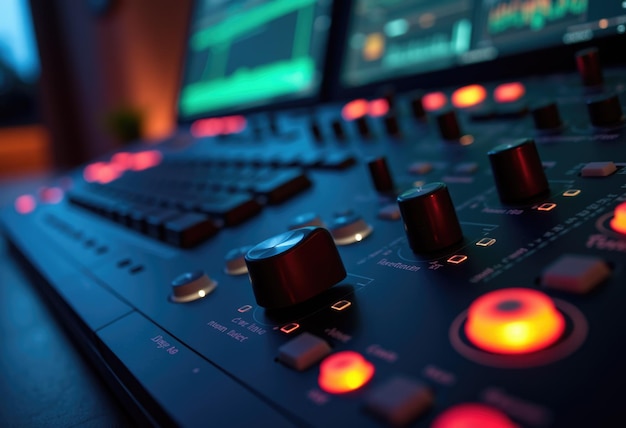
In the world of music production, mastering the use of VST delay plugins can elevate your tracks to new heights. These powerful tools add depth, space, and intricacy to your soundscapes, transforming ordinary mixes into something truly remarkable. However, with a multitude of settings and features at your disposal, it’s easy to feel overwhelmed or unsure about how to make the most of them. That’s where this guide comes in. We’re diving into the top five essential tips every producer should know when working with VST delay plugins. Get ready to unlock the potential of your audio delay settings and craft mixes that resonate with clarity and creativity.
Top 5 Tips for VST Delay Plugins
Understand Your Delay Types
Different types of delays, such as analog, tape, and digital, serve unique purposes. Analog delays can add warmth, while digital delays provide clarity. Knowing which type to use for specific instruments facilitates better mixing decisions.Adjust Feedback Wisely
Feedback controls how many times the delay signal is repeated. Setting this too high can muddy your mix, yet too low might make the effect distant. Aim for a feedback level that enhances depth without overwhelming the original sound.Sync with Tempo
Matching the delay time to the track’s tempo creates a cohesive flow. Use notes—like 1/8 or dotted 1/16—to maintain rhythm. This synchronization helps the delays blend seamlessly with the musical elements, enhancing the overall groove.Utilize Wet/Dry Mix
The wet/dry ratio determines how much of the delayed signal is mixed with the original. A balanced mix preserves clarity while adding dimension. Start with a lower wet mix and incrementally increase it until you achieve the desired effect.Implement Automation
Automating delay parameters can add dynamics and interest. Adjusting the feedback or mix throughout the track can keep the listener engaged. This technique allows you to tailor the delay effects to different song sections, enhancing their impact.
Understanding Delay Plugin Features for Optimal Use
To effectively harness the power of delay plugins in your music production, understanding their key features is essential. Here are the critical components that you should be familiar with:
- Feedback: This setting determines the number of times a delayed signal is repeated. Increasing feedback enhances the echo effect, but too much can muddy the mix. Finding the right balance is crucial for a clean sound.
- Timing Adjustments: Delay plugins allow you to manipulate timing settings, which can be synced to the track’s tempo. Adjusting the delay time to match the BPM creates rhythmic cohesion and enhances musicality.
- Wet/Dry Mix: This feature controls the balance between the original signal (dry) and the delayed signal (wet). A well-mixed balance adds depth without overwhelming the original sound. For vocals, a lower wet mix generally works better for clarity.
- Modulation: Many delay plugins include modulation options, which introduce subtle movement to the delayed signal. This can add warmth and interest, particularly in ambient or atmospheric sounds.
- Filter Options: Filtering allows you to shape the frequency response of the delayed signal, typically with high-pass or low-pass filters. This is crucial for preventing frequency buildup and ensuring the delay complements other elements.
- Tempo Sync: The ability to sync delay to the tempo is invaluable. It enhances groove and rhythm, allowing the delay to repeat in time with the rest of the track. Using presets like dotted eighths or triplets can be handy during this process.
Familiarizing yourself with these features will enable you to tailor delay effects specifically to your production needs. As you experiment with these settings, you’ll discover how to create unique textures and enhance the overall quality of your mixes. This understanding sets the stage for both beginners and experienced producers to elevate their soundcrafting skills.
Creative Applications of Delay in Sound Design
Delay effects can be exceptionally versatile tools in sound design, allowing for the creation of rich and immersive audio experiences.
One way to use delay creatively is through atmospheric soundscapes. By applying a long delay time with feedback, you can generate ethereal layers that transport listeners to different environments. Experimenting with modulation on the delayed signal can enhance this effect, creating a more dynamic and evolving atmosphere.
Layering sounds with delay is another powerful technique. By duplicating a sound and applying different delay settings to each layer, producers can add depth and complexity. For instance, a synth pad can be layered with a short slapback delay on one track and a longer echo on another, resulting in a fuller, more textured sound.
Additionally, delay can enhance rhythmic elements. Using syncopated delay settings can add groove to percussion, making patterns feel more lively and engaging. When aligned to the tempo of the track, this technique can help maintain energy and drive, transforming simple beats into intricate rhythms.
For ambiance creation, modulation can be applied to the delay time itself, resulting in evolving echoes that shift in pitch and tone. This approach not only enriches the sound but also keeps the listener engaged throughout the composition.
By leveraging these creative delay applications, you can explore new dimensions in sound design, enriching your mixes and captivating your audience.
Mixing Tips for Delay to Enhance Your Tracks
Effective mixing with delay can truly elevate your audio creations by adding depth, space, and rhythmic dynamics.
First, pay close attention to levels. A common practice is to set the delay effect slightly lower than the original signal. This helps maintain clarity while still delivering that lush, spacious feel.
When it comes to panning, experiment with placing delayed signals in different stereo positions. For instance, you might pan the original sound slightly to the left and the delay to the right. This technique enhances stereo width and creates an engaging soundstage that pulls the listener in.
Using automation is crucial for dynamic delay effects. Instead of keeping the delay consistent throughout the track, subtly automate parameters like feedback or wet/dry mix to create movement. This can lead to captivating moments that keep your arrangement interesting.
Another valuable tip is to sync the delay time to the track’s tempo. Doing so ensures that the delays line up rhythmically, enhancing the groove and allowing the delay to contribute effectively to the track’s overall rhythm.
Lastly, consider integrating high-pass filtering on the delayed signal. This approach helps cut unnecessary low frequencies, preventing muddiness in the mix and allowing the original sound to shine through clearly.
By implementing these techniques, you can create mixes that are not only rich and spacious but also clear and well-defined. This balance ensures your tracks are engaging to listeners while maintaining professional quality.
Troubleshooting Common Delay Plugin Issues
Even the best delay plugins can present challenges. Here are some common issues and effective solutions to keep your workflow smooth.
Latency Problems:
Many delay plugins can introduce latency, disrupting your timing. If you experience noticeable delay in playback, consider using the plugin’s built-in latency compensation feature. Alternatively, reduce the plugin’s buffer size in your DAW settings to minimize lag.
Compatibility Issues:
Sometimes, delay plugins may not function correctly in your DAW. Ensure your software is up to date, as compatibility with the latest version of your DAW can often resolve issues. If a specific plugin continues causing trouble, look into using it in a different DAW or try a different delay plugin altogether.
Excessive Feedback:
Too much feedback can lead to overwhelming echoes, making your mix muddy. To combat this, lower the feedback levels until the repeats provide depth without obscuring the original sound.
No Sound from Delay:
If you’re not hearing the delay effect, check the wet/dry mix. Ensure the wet signal is sufficiently high to hear the effect. Additionally, verify that the output settings are configured properly and that the track is not muted.
Best Practices for Delay Usage:
Always keep your tracks in mono when mixing. This ensures phase issues don’t arise and allows for better control over the mix.
Automate delay parameters to adapt the effect dynamically throughout your track.
Experiment with panning. Delays can create an illusion of space, enhancing your mix by placing sounds in unique stereo positions.
By addressing these issues promptly, you can maximize your creativity and keep technical difficulties at bay.
In conclusion, mastering VST delay plugins can significantly enhance your music production.
By understanding the types of delay effects and implementing essential delay settings, you can create depth and clarity in your mixes.
Utilizing creative techniques like automation, while ensuring your delay is synced with the tempo, will elevate your tracks and maintain rhythmic coherence.
Remember, the key to effectively using these tools lies in balancing creativity with technical precision.
Incorporate these insights into your workflow, and you’ll see the positive impact on your sound.
These top 5 tips for VST delay plugins will guide you in achieving richer, more dynamic productions that resonate with listeners.
FAQ
Q: What are the top VST delay plugins for music production?
A: The top VST delay plugins include Galaxy Tape Echo, Cooper Time Cube Mk II, Korg SDD-3000, AMS DMX Digital Delay & Pitch Shifter, and EP-34 Tape Echo, each offering unique features that enhance audio quality.
Q: How can I effectively use the Galaxy Tape Echo plugin?
A: To use Galaxy Tape Echo, increase the input volume for saturation, adjust Feedback for self-oscillation, and utilize the Echo Rate for pitch modulation, applying it on multiple tracks for depth.
Q: What settings should I adjust on the Cooper Time Cube Mk II for the best results?
A: Set the “B” delay line’s Echo Volume low and adjust the “A” line for thickness. Use delay times under 40 ms for thickening sounds and longer times for distinct repeats.
Q: How do I achieve The Edge’s sound using the Korg SDD-3000?
A: For The Edge’s sound, set a dotted ⅛ delay time, adjust the Level for clarity, and use modulation settings to create movement and pitch variations, enhancing your track’s texture.
Q: What are effective techniques for using AMS DMX Digital Delay?
A: Keep delay times short to widen the sound, utilize pitch shifting for stereo width, and add chorus for movement. These adjustments can significantly enhance your mix’s depth.
Q: How should I set up the EP-34 Tape Echo for optimal performance?
A: Start with low Echo Repeats and adjust delay time based on the song’s tempo. Increase Recording Volume for saturation, and explore self-oscillation for unique sound textures.
Q: Why is it important to sync delay with the track’s tempo?
A: Syncing the delay with the track’s tempo enhances rhythmic coherence, creating a seamless groove that maintains energy throughout the composition, ultimately enriching the listener’s experience.
Q: What common mistakes should I avoid when using delay plugins?
A: Avoid overusing feedback, incorrect wet/dry balance, and neglecting high-pass filtering on delayed signals to maintain clarity in your mix while still benefiting from delay effects.





