
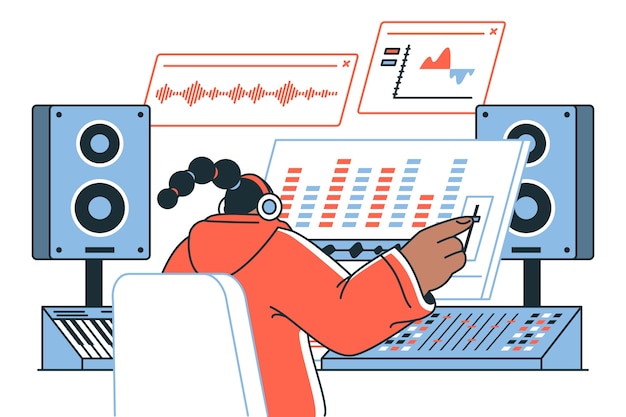
Audio editing software has become an essential tool for anyone looking to manipulate sound, whether you’re a professional music producer or a budding podcaster. From digital audio workstations (DAWs) that empower creative expression to robust features like multitrack editing and sound mixing tools, the landscape of audio editing is both exciting and diverse. In this comprehensive guide, we’ll delve into the various types of audio editing software available, uncovering crucial features that cater to every skill level. Whether you’re just starting on your audio adventure or aiming to refine your craft, this article will equip you with the knowledge to navigate and choose the right tools for your unique audio projects.
Understanding Audio Editing Software: A Comprehensive Overview
Audio editing software is a collection of tools designed to manipulate sound, making it essential for anyone involved in audio production, whether they’re beginners or seasoned professionals. At the core of this domain lies digital audio workstations (DAWs), which facilitate everything from simple podcasts to sophisticated music tracks.
Key features of audio editing software include:
Multitrack Editing: This allows users to work with multiple audio tracks simultaneously, enabling layers of sound for dialogue, music, and effects.
Sound Mixing Tools: These are crucial for adjusting volume levels, adjusting balance, and applying effects to create a polished audio experience.
Compatibility with Various Audio Formats: The ability to import and export different audio file formats, like WAV, MP3, and AIFF, is vital for seamless workflow and distribution.
Whether operating on Windows, macOS, or Linux, audio editing software offers a range of functionalities that cater to different user needs.
For professionals, high-end options like Adobe Audition provide extensive features, whereas beginners may find user-friendly software like Audacity or GarageBand more approachable.
Ultimately, the significance of audio editing software cannot be overstated, as it serves as a bridge between raw audio recordings and the finished product, enhancing the quality and impact of audio projects in various media formats.
The Best Audio Editing Tools for Professionals and Beginners
Adobe Audition stands out as a premier choice among professional audio editing programs. It’s packed with advanced features like multitrack editing, allowing for intricate sound design and comprehensive mixing capabilities. Users appreciate its intuitive interface and extensive library of sound effects, making it ideal for post-production in film and music.
Logic Pro, another heavyweight, is tailored specifically for macOS users. It provides an impressive array of professional-grade tools suitable for music production, including smart instruments and advanced editing features. Beginners might find its depth overwhelming at first, but it offers a robust suite that justifies the learning curve.
For those just starting their audio editing journey, GarageBand is a fantastic entry point. This user-friendly software offers real-time effects, MIDI editing, and a variety of loops, making it accessible for novices. It provides just enough features to learn the basics without extra complexity, helping users build their skills gradually.
Audacity, favored for its completely free offering, is a highly functional audio editing software for beginners and seasoned users alike. This open-source platform provides essential tools like noise reduction and support for various audio formats, making it a versatile choice for simple projects. Its straightforward interface allows users to dip their toes into audio editing without financial commitment.
Below is a comparative analysis of these tools, highlighting essential attributes, usability, and suitability for varying skill levels.
| Software | Best For | Key Features | Price |
|---|---|---|---|
| Adobe Audition | Professionals | Multitrack editing, extensive sound library | Subscription-based |
| Logic Pro | Music Producers | Smart instruments, advanced audio editing | One-time purchase |
| GarageBand | Beginners | User-friendly interface, real-time effects | Free (macOS only) |
| Audacity | Everyone | Noise reduction, open-source | Free |
Choosing software depends on user experience, budget, and specific project needs. Each of these tools has its strengths, ensuring that both beginners and professionals can find a suitable match for their audio editing endeavors.
Free Audio Editing Software: Options and Features
Free audio editing software provides robust solutions for users on a budget, from novices to experienced editors.
Two standout options in this category are Audacity and Ocenaudio.
Audacity
Background Noise Reduction: Its powerful noise removal tools help in cleaning up recordings for clearer audio.
File Format Support: Audacity supports a plethora of formats, including WAV, MP3, and OGG, making it versatile for various projects.
Ease of Use: Beginners appreciate its straightforward interface, while advanced users benefit from its extensive features, like multitrack editing.
Ocenaudio
User-Friendly Interface: Designed with simplicity in mind, Ocenaudio allows for quick edits without overwhelming menus or tools.
VST Plugin Support: This feature enables users to enhance their audio with various effects, broadening the editing capabilities.
Real-Time Preview: Users can listen to changes instantly, ensuring creativity isn’t compromised by the trial-and-error process.
Both programs cater to audio editing for podcasts and other applications, enabling clean sound production without financial constraints.
Whether editing interviews, creating soundtracks, or restoring old recordings, these free options equip users with the tools they need.
For those starting their audio journey or working with limited resources, choosing a free software solution can lead to professional-level results.
In a world where quality audio is essential for engagement, leveraging these free tools can enhance creativity and expand possibilities in audio editing projects.
Mobile Audio Editing Apps: A Comprehensive Review
Mobile audio editing apps provide a convenient solution for users who want to edit audio on the go, highlighting essential features that accommodate both novice and experienced creators.
GarageBand, an iOS exclusive, is known for its user-friendly interface. It allows users to create music tracks with multitrack editing capabilities. With a range of virtual instruments and real-time effects, GarageBand makes it easy to produce quality audio directly from your device.
On the Android side, WaveEditor is a versatile option that offers comprehensive editing features. Users can perform basic functions like trimming and fading while also accessing advanced options such as pitch shifting and variable tempo adjustments. This flexibility is perfect for handling various audio tasks directly from your smartphone.
Other notable mentions include
Lexis Audio Editor, which supports a wide range of audio formats and includes features like noise reduction and normalization.
Hokusai Audio Editor, which embraces multitrack recording, offering intuitive gestures for easy editing.
These apps cater to the needs of users seeking seamless audio management from their smartphones or tablets. They not only simplify audio editing but also inspire creativity, allowing users to produce compelling audio content whenever inspiration strikes.
With the rise of mobile editing solutions, the world of audio editing is more accessible than ever, enabling creativity to flourish away from traditional setups.
Key Features of Audio Editing Software: Must-Have Tools
Essential features for audio editing software play a vital role in shaping audio projects. Here are the must-have tools that elevate audio quality and enhance user experience:
Multitrack Editing: This feature allows users to layer multiple audio tracks simultaneously, facilitating complex sound arrangements. It’s crucial for managing dialogue, music, and sound effects effectively.
Comprehensive Mixing Tools: Mixing tools enable fine adjustments in volume, panning, and equalization across tracks. They ensure a balanced final output that enhances the overall listening experience.
Equalization (EQ): EQ tools enhance specific frequency ranges in audio, allowing for clearer dialogue and refined musical elements. This helps to reduce background noise and improve sound quality.
Compression: This tool evens out the dynamic range of audio, ensuring that volume levels are consistent. It is particularly useful for interviews and vocal tracks where speaker volume may vary.
Audio Effects: Effects such as reverb and delay add depth and dimension to recordings, creating a more immersive auditory experience. These effects can transform plain audio into captivating soundscapes.
Audio Restoration Features: Tools like noise reduction and click removal are essential in restoring old recordings or improving overall audio clarity, ensuring a polished output.
Compatibility with Various Formats: Supporting numerous audio formats is critical for seamless importing and exporting. This flexibility enhances creative possibilities when working with diverse audio sources.
These features are foundational in producing polished and professional audio recordings, making them indispensable in any audio editing toolbox.
Audio Editing Software Comparison: Free vs. Paid Solutions
When weighing options for audio editing software, the distinction between free and paid solutions is critical for both beginners and professional users.
Free audio editing software, such as Audacity and GarageBand, offers accessible functionalities that cater to novice users. These tools often include basic features like cutting, fading, and simple mixing.
However, they tend to lack advanced features and technical support that come with paid solutions, making them suitable for casual projects. Free software is user-friendly, allowing newcomers to grasp the fundamentals without a hefty investment.
In contrast, paid audio editing software like Pro Tools and Adobe Audition delivers extensive capabilities, ideal for serious audio work. These programs provide advanced features such as multitrack editing, sophisticated sound mixing tools, and a wider array of plugins.
Users can also benefit from professional customer support and comprehensive updates, ensuring that the tools remain current and effective. Additionally, paid options often boast superior compatibility with various audio formats, allowing for greater flexibility in projects.
Here’s a simple comparison of key aspects:
| Feature | Free Software | Paid Software |
|---|---|---|
| User Support | Limited | Extensive with ongoing updates |
| Advanced Features | Basic | Comprehensive |
| Audio Formats | Common | Wide range of format compatibility |
| Plugins | Limited options | Extensive plugin systems available |
| Cost | Free | Subscription or one-time purchase |
Ultimately, assessing the specific needs of your audio projects will guide your choice between free and paid audio editing solutions. Whether you’re a hobbyist or looking to produce professional quality work, understanding these differences is essential for maximizing your editing experience.
In conclusion, the landscape of audio editing software is both vast and dynamic, catering to a plethora of users, from budding beginners to seasoned professionals.
As we’ve uncovered throughout this guide, the right tools—whether they’re user-friendly platforms like GarageBand or robust options such as Pro Tools—can significantly enhance the editing process.
Understanding essential features and techniques is key to elevating your sound quality and navigating the complexities of audio projects with ease.
With ongoing innovations and the rise of cloud-based solutions, the future of audio editing continues to evolve, enabling greater collaboration and efficiency in creative endeavors.
So, whether you’re embarking on your first audio project or looking to refine your professional skills, remember that this comprehensive guide on audio editing software has laid the groundwork needed to explore your creative potential.
FAQ
Q: What types of audio editing software are available?
A: Various audio editing software exists, ranging from beginner-friendly options like GarageBand and Audacity to professional tools like Adobe Audition and Pro Tools.
Q: What essential features should I look for in audio editing software?
A: Key features to consider include multitrack editing, compression, equalization (EQ), sound mixing tools, and compatibility with various audio formats.
Q: How can beginners get started with audio editing?
A: Beginners should explore intuitive software like GarageBand or Audacity. Tutorials covering basic techniques like cutting, fading, and mixing can be very helpful.
Q: What are the benefits of using audio editing software?
A: Using audio editing software enhances audio quality, makes content more engaging, and allows repurposing of existing audio material to connect with audiences effectively.
Q: Can I find free audio editing options?
A: Yes, several free audio editors, including Audacity and ocenaudio, provide robust functionalities, catering to both novices and experienced users.
Q: What role does audio editing play in video editing?
A: Audio editing is crucial in video editing as it enriches storytelling by enhancing clarity, emotional depth, and overall engagement in various formats like films and podcasts.
Q: Why should I consider a Digital Audio Workstation (DAW) for audio editing?
A: DAWs facilitate comprehensive tasks such as recording, editing, and producing audio. They are essential for managing sound in diverse projects like music and podcasts.





