
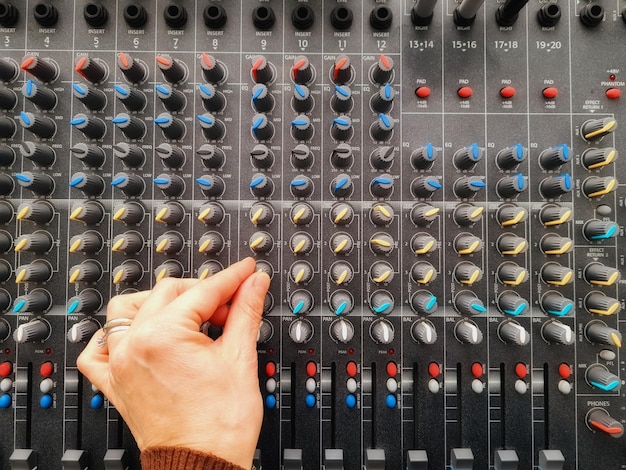
Equalization is a vital tool in audio mixing, allowing you to sculpt your sound and achieve a polished mix. Whether you’re a budding producer or an experienced sound engineer, mastering free equalizer plugins can elevate your tracks significantly. Before diving into adjustments, it’s essential to approach your EQ with clear intentions – knowing what you want to enhance or reduce can guide your decisions effectively. Experimentation is key; don’t shy away from trying different settings to discover what works best for each mix. Keeping track of your changes will not only help you refine your technique, but it also fosters a deeper understanding of how EQ impacts your overall sound. In this post, we’ll explore practical tips to harness the power of free equalizer plugins and elevate your mixing skills to new heights.
General Tips for Using Free Equalizer Plugins Effectively
Having a clear intention is crucial before diving into EQ adjustments. Determine the sonic character you wish to enhance or correct in your mix. This solid foundation will guide your choices and prevent arbitrary tweaks that might muddle your sound.
Experimentation is key when working with free equalizer plugins. Don’t be afraid to try out different settings. Each plugin can behave uniquely, so testing various configurations will help you familiarize yourself with its capabilities and discover techniques that resonate with your style.
Keeping track of your changes ensures that you can revert to previous settings if needed. Consider documenting your adjustments or using a DAW that allows you to automate EQ changes. This practice makes it easier to refine your mix without losing valuable progress.
When applying EQ, make small, gradual adjustments rather than drastic cuts or boosts. Subtle tweaking—typically no more than 3dB at a time—can yield significant results without compromising the integrity of the sound. This approach helps maintain a natural quality in your audio.
Monitoring your mix in different environments, such as headphones and speakers, can also provide valuable insights. What sounds good on one system may not translate well on another, so testing your mix across various listening scenarios is essential.
Lastly, trust your ears! Regularly refer back to your original mix to ensure that your EQ adjustments serve your intentions and enhance the overall sound. Balancing analytical listening with creative flair will always lead you closer to a polished, professional mix.
Understanding Frequency Ranges in Equalization
The frequency spectrum ranges from 20Hz to 20kHz, encompassing a variety of sound elements crucial for music mixing.
Sub-bass (20-60Hz): This range is felt more than it’s heard, providing depth in genres like electronic and hip-hop. Too much sub-bass can muddle a mix, so use caution when boosting.
Bass (60-200Hz): The bass frequencies add warmth and fullness. Instruments like bass guitars and kick drums occupy this range. Finding a balance is essential; avoid overcrowding by ensuring clarity among competing elements.
Low mids (200-600Hz): This frequency band can cause muddiness if over-boosted. It’s important for body and warmth but requires careful adjustment to maintain a lively mix.
Mids (600Hz-3kHz): Mids are crucial for clarity and presence, especially in vocals and lead instruments. Focus on this range to enhance intelligibility, particularly in spoken or sung content.
Upper mids (3-8kHz): Boosting this range adds brightness and attack, which can elevate lead guitars and vocals. Use with care to avoid harshness.
Highs (8kHz+): High frequencies contribute sparkle and airiness but can easily become piercing. A gentle boost here can add clarity, benefiting elements like cymbals and high-string instruments.
Understanding these frequency categories allows producers to make informed decisions when applying EQ, leading to clearer and more balanced mixes. By knowing how each band affects sound, you can refine your equalization strategies effectively.
Best Free Equalizer Plugins for Sound Enhancement
Several exceptional free equalizer plugins are available that can significantly enhance your audio production capabilities. Below are some highly recommended options, each featuring unique functionalities and ease of use.
| Plugin Name | Key Features | DAW Compatibility |
|---|---|---|
| TDR Nova | Spectrum analysis, dynamic EQ capabilities, user-friendly interface. | VST2, VST3 compatible with most DAWs. |
| ReaEQ | Multi-band flexible EQ, unlimited bands, low CPU usage. | Supported by REAPER, available in VST format for other DAWs. |
| XFIRE Equalizer | 8-band EQ, preset management, simple layout for quick adjustments. | Compatible with VST, works on various DAWs. |
| EQ1A (by Ignite Amps) | Vintage analog-style, simple controls, and good overall sound quality. | VST and AU support, fits many audio workstations. |
| Smart:EQ 2 | Intelligent EQ with real-time analysis, adaptive processing. | Available as VST and AU, compatible across platforms. |
Users will find TDR Nova a standout option, offering dynamic capabilities and an intuitive interface that helps achieve transparent mixes. ReaEQ boasts a flexible approach, allowing you to create a custom range of bands without taxing CPU resources.
XFIRE Equalizer simplifies the EQ process with an easy-to-navigate design, perfect for quick adjustments. Meanwhile, EQ1A provides a vintage touch, enhancing audio character with its analog emulation profile. Lastly, Smart:EQ 2 utilizes adaptive processing to ensure frequency adjustments suit the audio context, making it a smart choice for sound enhancement.
Selecting the right tool involves considering the plugin’s user interface, efficiency, and compatibility with your preferred DAW. These options will significantly improve your audio quality, aiding both novice and experienced producers in their sound enhancement journey.
Common Mistakes to Avoid When Using Equalizers
Over-EQing is one of the most common mistakes beginners make. Applying excessive boosts or cuts can lead to a mix that sounds unnatural. Instead, focus on making subtle adjustments, typically no more than 3-5 dB, to maintain the integrity of the sound.
Neglecting high-pass filters is another pitfall. Failing to remove unnecessary low frequencies can cause muddiness in the mix. Implementing a high-pass filter on tracks like vocals and guitars can create space in the mix, allowing other elements to shine without competing for frequency space.
Balancing frequencies between instruments is essential for clarity. Often, mixes suffer from overlapping frequency ranges, particularly in the bass and lower mid range. To avoid clashes, analyze the frequency distribution of each instrument and carve out spaces where they can coexist harmoniously.
Using narrow bands for cuts while employing broader bands for boosts is a technique worth mastering. This can help in surgical EQ applications to remove unpleasant frequencies without altering the overall character of the sound.
Monitoring your changes in real-time is crucial. Many producers make adjustments but fail to listen back, missing how those tweaks affect the overall mix. Regularly bypassing the EQ plugin can provide perspective on what has changed and whether those changes enhance the sound.
Lastly, trust your ears. Relying too heavily on visual feedback from the EQ spectrum analyzer can lead to misguided adjustments. Developing a sense of how sound should feel is key to effective mixing, allowing for more intuitive and natural-sounding results.
Practical Techniques for Using EQ in Music Production
Utilizing EQ effectively can elevate your music production to new heights. One essential technique is the Sweep EQ technique. Start by boosting a narrow band by around 10 dB and then sweep across the frequency spectrum. This helps identify unwanted resonances or problematic sounds. Once you’ve located these frequencies, cut them to clean up the mix.
Balancing frequency ranges is crucial for clarity. When working with vocals, for example, emphasize clarity by making slight boosts around 3-6 kHz while cutting frequencies around 200-300 Hz that may add muddiness. This approach enhances presence without overwhelming the mix.
Consider how each instrument interacts with frequency ranges. For low-end instruments like bass or kick drums, retain their power by making careful boosts around 60-80 Hz. However, counterbalance this by cutting frequencies between 300-500 Hz to avoid an overly congested sound.
In mixing scenarios, always focus on individual elements. For instance, when EQing electric guitars, you might cut some low-end rumble by applying a high-pass filter around 100 Hz, allowing their natural tone to shine through.
Using EQ for sound balancing is about intention. Aim to complement other sounds rather than simply level everything out. If two instruments occupy similar frequency ranges, prioritize one and gently carve space for the other. Small adjustments like these can greatly enhance the overall mix.
Remember to trust your ears. What sounds best can depend on the genre and overall feel you’re aiming for. Experimentation, combined with these techniques, can lead to powerful results in your music production journey.
In summary, mastering the art of equalization can significantly enhance your audio projects, whether you’re working on a podcast or a full music production. Understanding the functionality of free equalizer plugins is essential, as is familiarizing yourself with various settings and frequency ranges. Avoiding common mistakes, such as over-equalization and making sweeping adjustments, is crucial for achieving clarity in your mixes.
Moreover, adopting techniques to optimize sound quality, like using high-pass filters and judiciously removing unwanted frequencies, can elevate your recordings to a more professional level.
Ultimately, selecting the right free equalizer plugins tailored to your specific needs will empower you on your auditory journey.
By incorporating the general tips for using free equalizer plugins, you’ll not only improve your sound quality but also enhance your production skills, leading to clearer, more impactful audio.
FAQ
Q: What are some effective tips for using free equalizer plugins in audio mixing?
A: Begin with a flat EQ setting, use high-pass filters to cut unwanted low-end, and make subtle adjustments to enhance clarity without over-processing the sound.
Q: How can I understand frequency ranges when using an equalizer?
A: Familiarize yourself with the frequency spectrum: sub-bass (20-60Hz), bass (60-200Hz), low mids (200-600Hz), mids (600Hz-3kHz), upper mids (3-8kHz), and highs (8kHz+).
Q: What common mistakes should I avoid when using equalizer plugins?
A: Avoid over-equalizing, making drastic adjustments, and neglecting to monitor changes. Focus on making small, incremental adjustments for better results.
Q: How can I optimize sound quality with equalizer plugins?
A: Use high-pass filters to improve clarity, cut unwanted frequencies, and ensure different instruments occupy specific frequency ranges to create space in your mix.
Q: What free equalizer plugins are recommended for music production?
A: Consider plugins like TDR Nova, which offers spectrum analysis, mid/side processing, and dynamic EQ capabilities, catering to various mixing needs.
Q: How should I approach EQ adjustments while mixing?
A: Have a clear intention behind each adjustment. Identify the tonal qualities you want to achieve before boosting or cutting any frequencies.
Q: Can I use reference tracks while mixing with an equalizer?
A: Absolutely! Comparing your mix to reference tracks can provide valuable insights and help guide your EQ adjustments to achieve a professional sound.





