
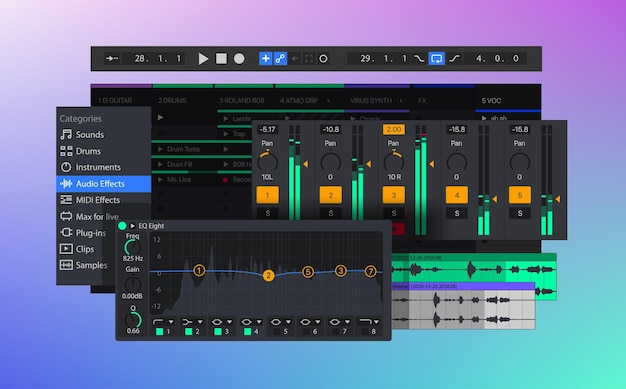
VST synthesizers are revolutionizing the way music is produced, turning virtually any computer into a powerhouse of sound design possibilities. As essential tools in the realm of music production, these software-based instruments integrate seamlessly with Digital Audio Workstations (DAWs), empowering producers to create a vast array of audio experiences. From emulating beloved traditional instruments to pushing the boundaries of modern sound synthesis, VST synthesizers are the backbone of countless hit tracks. In this comprehensive guide, we’ll delve into the essence of VST synthesizers, explore their functionality, types, benefits, and tackle common issues, offering you the insights needed to elevate your music production game. Get ready to unlock the full potential of these digital wonders!
VST Synthesizers Explained: An Introduction
VST (Virtual Studio Technology) synthesizers are essential tools in the realm of music production, allowing users to generate and manipulate sound using software. These virtual instruments operate within Digital Audio Workstations (DAWs), providing unparalleled flexibility and creative possibilities for music creation.
VST synthesizers can emulate traditional instruments like pianos, synthesizers, and even orchestral sounds, enabling users to explore a broad spectrum of audio styles. This software-based approach not only alleviates the need for physical hardware but also makes music production accessible to a wider audience, including beginners and established producers alike.
Functionally, VST synthesizers encompass a variety of audio synthesis techniques. From straightforward analog emulations to complex wavetable and FM synthesis, they offer a diverse sonic palette. Users can engage with oscillators, filters, and envelopes to design their own sounds, tailoring them to fit specific projects or personal styles.
By integrating with MIDI, VST synthesizers facilitate seamless communication with MIDI controllers and other devices. This interaction enhances the user experience, allowing for real-time manipulation of sound parameters, which is vital for effective composition and performance.
Overall, VST synthesizers represent a cornerstone of modern music production. Their versatility, combined with the growing availability of plugins, empowers creators to push their artistic boundaries and expand their sonic horizons.
How VST Synthesizers Function
VST synthesizers function primarily by processing MIDI data, which enables them to generate sound based on user inputs, such as note selection and modulation settings. This interaction with MIDI is essential, as it allows musicians to control various parameters and manipulate sound in real-time.
These synthesizers utilize different sound engine techniques, with subtractive and FM synthesis being among the most prevalent methods. Subtractive synthesis shapes sound by filtering harmonically-rich waveforms, producing a lush audio texture that is often desired in various genres. On the other hand, FM synthesis creates sound through the modulation of one waveform by another, resulting in complex and dynamic tones that can mimic various acoustic instruments.
The integration of VST synthesizers within Digital Audio Workstations (DAWs) is seamless, enhancing the overall workflow for music producers. Users can easily load their VSTs and manipulate them alongside other audio and MIDI tracks. The user interface of VST synthesizers provides real-time adjustments, allowing for dynamic control over various sound design tools such as effects, modulation sources, and envelope settings.
Moreover, VST plugins exist in various formats, with the most common being VST2 and VST3. These formats enhance stability and performance, ensuring that producers can work efficiently without encountering significant latency or crashes.
Real-time performance capabilities further enable musicians to craft unique sounds live, making them an invaluable asset in both studio and live settings.
In summary, VST synthesizers operate by interpreting MIDI signals to create sound, leveraging a range of synthesis methods and seamlessly integrating with DAWs, all while offering a plethora of tools for creative sound design.
Types of VST Synthesizers and Their Uses
VST synthesizers come in various types, each catering to specific musical needs and creative styles. Understanding these varieties can significantly enhance sound design and music production.
Polyphonic Synths
These synthesizers allow multiple notes to play simultaneously, making them ideal for chords and complex musical arrangements. Their rich textures can be instrumental in genres requiring lush harmonic layers, such as electronic, pop, and orchestral music.
Monophonic Synths
Monophonic synthesizers focus on producing a single note at a time. They excel in generating powerful lead sounds, basslines, and rich textures. Many iconic sounds from genres like techno and rock stem from monophonic synths, providing depth and character in compositions.
Types of Synthesis
There are several synthesis techniques utilized by VST synthesizers, each contributing distinct sonic possibilities:
Subtractive Synthesis
This technique begins with a harmonically rich waveform, which is then shaped by filters to carve out desired frequencies. It’s widely used for creating warm, lush sounds and is favored in many genres.Additive Synthesis
This method involves layering individual sine waves to construct complex sounds. It offers extensive control over harmonic content, making it ideal for sound designers seeking intricate textures.Wavetable Synthesis
Wavetable synths provide the ability to manipulate waveforms in real time. This technique is highly expressive, suitable for evolving sounds and dynamic soundscapes, making it popular in modern electronic music.
By selecting the appropriate type of VST synthesizer, producers can effectively tailor their sound design to suit various musical styles and achieve unique sonic results.
Popular VST Synthesizers to Explore
Among the best VST synthesizers, Serum stands out for its powerful wavetable synthesis and intuitive interface. Users appreciate its real-time wavetable manipulation and extensive modulation capabilities, making it a go-to choice for sound designers and music producers alike.
Massive, another favorite, is renowned for its rich, thick sounds and diverse sonic palette, perfect for electronic and bass music. Its straightforward layout allows quick sound creation, appealing to both novices and seasoned producers.
Sylenth1 offers a classic analog sound with a modern twist. It’s often praised for its user-friendly interface and high-quality presets that cater to a variety of genres.
In addition to these paid products, there are free VST synthesizers like Tyrell N6, which impresses with its analog-style sounds and simple design.
Another impressive free option is Helm, known for its versatility and great sound quality, allowing users to explore synth design without financial investment.
The diversity in both paid and free synthesizers ensures that regardless of experience level, there’s a suitable VST synthesizer available to match your needs.
Here’s a summary of popular VST synthesizers:
| Synthesizer | Type | Key Features |
|---|---|---|
| Serum | Wavetable | Real-time wavetable manipulation, extensive modulation |
| Massive | Subtractive | Rich sound, simple layout, great for bass music |
| Sylenth1 | Analog | User-friendly, diverse presets |
| Tyrell N6 | Free, Analog | Analog-style sounds, compact design |
| Helm | Free, Versatile | High sound quality, customizable interface |
Benefits of Using VST Synthesizers in Music Production
VST synthesizers significantly enhance music production by providing extensive customization options, enabling producers to craft unique sounds tailored to their specific projects.
Users can dive into vast libraries of sound patches, which streamline the process of layering sounds and create rich, complex compositions without the constraint of physical hardware.
This versatility fosters creativity, allowing music makers to explore various genres and styles with ease.
Additionally, VST synthesizers are compatible with a wide range of digital audio workstations (DAWs). This compatibility promotes seamless integration into existing workflows, making the transition to using VSTs smooth for both beginners and seasoned professionals.
Moreover, VSTs often come with advanced features that encourage experimentation, such as modulation options and real-time adjustments, which can inspire new musical ideas.
By leveraging these tools, producers can push their creative boundaries and explore sound design in innovative ways, solidifying VST synthesizers as essential assets in modern music production.
The accessibility and affordability of these virtual instruments also mean that anyone, from hobbyists to professional sound engineers, can utilize them to elevate their productions.
Incorporating VST synthesizers into a production workflow ultimately opens doors to a wealth of possibilities, enhancing not just the sound design process but the entire creative journey.
Troubleshooting Common VST Synthesizer Issues
Common challenges with VST synthesizers often revolve around audio latency and compatibility issues between VST and AU (Audio Units) formats.
Audio latency can significantly hinder performance, particularly when playing in real-time.
To address latency, consider the following solutions:
Adjust Buffer Size: Lowering the buffer size in your DAW settings can reduce latency, but be mindful that this may increase CPU load.
Optimize Computer Performance: Close unnecessary applications and optimize CPU usage to free up resources for audio processing.
Use Direct Monitoring: If your audio interface supports it, direct monitoring allows you to hear inputs directly without latency, bypassing any software delays.
When navigating VST and AU, ensure that you’re using the correct format for your DAW. Here’s a quick comparison of each:
| Feature | VST | AU |
|---|---|---|
| Compatibility | Windows and Mac | Mac only |
| Integration with DAWs | Widely supported | Exclusive to Logic and GarageBand |
| Performance | Flexible performance, depending on DAW | Often more optimized for Mac systems |
By understanding these nuances and employing the suggested solutions, users can enhance their overall experience with VST synthesizers, leading to smoother production workflows and improved sound creation capabilities.
VST Synthesizers Explained: What They Are
VST (Virtual Studio Technology) synthesizers are software-based instruments that greatly enhance music production capabilities. They enable music producers to generate and manipulate sound within Digital Audio Workstations (DAWs). VST synthesizers provide a broad spectrum of sounds and functionalities that cater to various musical styles.
These virtual instruments allow users to create anything from classic analog tones to complex digital soundscapes without needing physical hardware. This accessibility makes them appealing to both beginners and experienced professionals. With VST plugins, users can dive into a world of sound synthesis, utilizing both tried-and-true methods and innovative audio processing techniques.
Key characteristics of VST synthesizers include:
Integration with DAWs: VST synths seamlessly integrate into popular DAWs, facilitating a smooth workflow for music production.
Diversity of Sounds: They cover a wide range of sound generation methods, from virtual analog synthesis to wavetable and granular synthesis, enabling different creative directions.
Cost-Effective Solutions: Compared to traditional hardware, VST synthesizers are often more affordable, allowing producers to access high-quality sounds at a fraction of the price.
User-Friendly Interfaces: Many VST synths feature intuitive interfaces, making it easier for users to create and modify sounds, even without extensive technical knowledge.
Endless Customization: VST synthesizers offer extensive libraries and sound design options, empowering users to tailor sounds to fit their musical vision.
By embracing VST synthesizers, producers can push creative boundaries, making them indispensable tools in the landscape of modern music production.
In conclusion, VST synthesizers have revolutionized the world of music production, offering a powerful and accessible means for creators to explore sound without the constraints of traditional hardware. From understanding their fundamental workings and benefits to discovering popular options and how to get started, the journey into the realm of virtual instruments is both exciting and rewarding. By embracing VST synthesizers, you unlock a world of creative possibilities that enable you to produce unique and innovative sounds tailored to your artistic vision.
VST synthesizers explained herein provide the foundation for any aspiring producer or seasoned musician looking to expand their toolkit and push the boundaries of their sound design skills. With the right knowledge and resources, the potential for musical expression is limitless.
FAQ
Q: What are VST synthesizers?
A: VST synthesizers are software-based instruments that generate and manipulate sound. They function within Digital Audio Workstations, enabling music producers to create music without physical hardware.
Q: How do VST synthesizers work?
A: VST synthesizers utilize MIDI signals to communicate with a DAW. They incorporate oscillators, filters, and envelopes, allowing real-time adjustments for effective sound design.
Q: What are the benefits of using VST synthesizers?
A: VST synthesizers boast accessibility, affordability, and versatility. They integrate seamlessly into various DAWs, provide vast sound libraries, and offer endless customization options for unique sounds.
Q: Which popular VST synthesizers should I explore?
A: Notable VST synthesizers include Serum, Massive, and Sylenth1. Each offers distinct sounds, extensive capabilities, and compatibility with various music genres and production needs.
Q: How do I get started with VST synthesizers?
A: To begin, select compatible software. Download VST files, place them in designated plugin folders, and use tutorials for guidance on integrating and experimenting with VSTs in your DAW.





